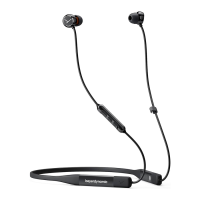
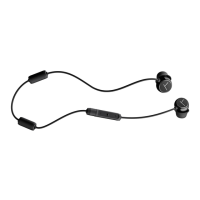
Blue BYRD – In-ear Headphones
7
english
beyerdynamic MIY App
The beyerdynamic MIY app is an evolving tool to add useful features to your Blue Byrd headphones
such as MOSAYC sound personalization, audio tracking atiics and many more settings to adapt the
headphones to your individual needs.
W
hen using the MOSAYC sound personalization, you will notice your Blue Byrd will sound even
b
etter.
Firmware and Updates
Please note that the following descriptions refer to the andard settings as supplied with firmware
version 1.0.
It is possible that a newer firmware version is available. You can update this yourself if necessary.
• Download the late firmware tool onto your computer from the Blue BYRD product page at
www.beyerdynamic.com. The firmware tool is available for both Windows and Mac.
• Switch on the in-ear headphones via the multifunction button and connect to the USB-po of your
computer by using the supplied USB charging cable.
• Sta the update tool and follow the inructions on the screen.
Compatibility information
The in-ear headphones are compatible with Bluetooth® playback devices which suppo the following
profiles:
• A2DP (for audio transmission)
• HFP (for telephony)
• HSP (voice output)
• AVRCP (for the transmission of control signals)
Note: The associated functions are only available if they are suppoed by the player.
Suppoed audio codecs
Within the A2DP profile, the headphones suppo the audio codecs SBC, AAC, aptX™ and aptX™ LL. The
be audio quality is oered by aptX™. aptX™ LL oers the shoe audio latency.
Note: Please note that only codecs which are also available on the player can be used for audio
transmission.
The player and the in-ear headphones automatically select the be codec available on both devices
according to the following order:
1. aptX™ LL
2. aptX™
3. AAC
4. SBC
Note: Please note that mo players do not display which codec is in use.
All manuals and user guides at all-guides.com










 To Next Page