EasyManua.ls Logo

Beyerdynamic BLUE BYRD - User Manual

Beyerdynamic BLUE BYRD
76 pages
Print Icon
To Next Page IconTo Next Page
Loading...
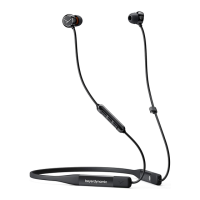
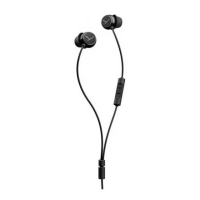
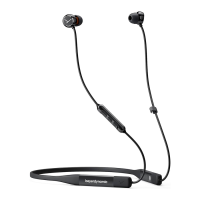
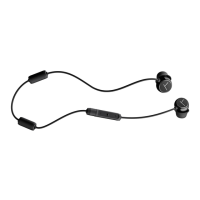
BLUE BYRD
IN-EAR HEADPHONES
IN-EAR-KOPFHÖRER

НАУШНИКИ ВНУТРИКАНАЛЬНЫЕ
QUICK START GUIDE
KURZANLEITUNG



Other manuals for Beyerdynamic BLUE BYRD

Questions and Answers

  • S
    Samantha JonesJul 27, 2025
    What to do if the playback volume is low on my Beyerdynamic Headphone?
    • T
      Tracey KingJul 27, 2025
      If the playback volume is low even when your Beyerdynamic headphone volume is at its highest, it might be because the audio signal being sent to the headphones is too quiet. Try increasing the playback volume directly on your music player to the maximum level.
  • C
    coltonclarkJul 31, 2025
    How to fix Beyerdynamic BLUE BYRD Headphone that cannot be switched on?
    • W
      William ConnerJul 31, 2025
      If your Beyerdynamic in-ear headphones won't turn on, the battery may be completely drained or very low. Try charging the battery.
  • J
    johnchavezAug 4, 2025
    Why is there no audio output from my Beyerdynamic BLUE BYRD Headphone?
    • A
      Alex HaneyAug 4, 2025
      If your Beyerdynamic in-ear headphones aren't producing any sound, the most likely reason is that they aren't connected via Bluetooth. To fix this, pair the in-ear headphones with your playback device.
  • J
    jdavisAug 9, 2025
    What to do if the wireless range is too low on my Beyerdynamic Headphone?
    • J
      Jessica BarreraAug 9, 2025
      If the wireless range of your Beyerdynamic headphone is shorter than expected, or the connection keeps dropping, it could be due to interference from other devices. Try moving away from WLAN routers and microwave ovens. Also, make sure that your body isn't positioned between the player and the in-ear headphones, as this can also disrupt the signal.
  • K
    Keith MeyersAug 13, 2025
    Why my Beyerdynamic Headphone doesn't appear on available Bluetooth devices?
    • G
      garrettamyAug 13, 2025
      If your Beyerdynamic in-ear headphones aren't showing up on your device's Bluetooth list, here's what to check: * Make sure the in-ear headphones are powered on. * Confirm that the in-ear headphones are in pairing mode. * Ensure the in-ear headphones aren't already connected to another device. If they are, disconnect from that device first, then connect to your desired device.
  • J
    Justin NorrisAug 17, 2025
    What to do if Beyerdynamic BLUE BYRD Headphone does not appear on available Bluetooth devices?
    • D
      Daniel DominguezAug 17, 2025
      If your Beyerdynamic Headphone doesn't appear in the list of available Bluetooth devices, several reasons could be the cause: * The in-ear headphones might be switched off. * The in-ear headphones might not be in pairing mode. * A Bluetooth connection to another player might already exist. To fix this: * Turn on the in-ear headphones. * Put the in-ear headphones into pairing mode. * Disconnect the Bluetooth connection to the other player and connect the in-ear headphones to the desired device.
  • J
    Jennifer MercerAug 21, 2025
    Why is the wireless range too low on my Beyerdynamic BLUE BYRD?
    • H
      Haley JimenezAug 21, 2025
      If the wireless range of your Beyerdynamic Headphone is too low, or the connection is disrupted, it may be due to interference from other devices. Try moving away from WLAN routers and microwave ovens. Also, make sure your body isn't between the player and the in-ear headphones.

Summary

Safety Instructions

Avoid Damage to Health and Accidents

Safety advice on avoiding hearing damage, tinnitus, and accidents from high volume usage.

Danger to Life

Changed Acoustic Perception

Liability and Intended Use

Unit and Battery Warnings

Supplied Accessories

Case Storage and Eartip Management

Headphone Insertion and App Usage

Operating Elements

Powering On, Off, and Pairing

Volume and Media Playback Control

Call Personal Assistant

Call Control

Accept or End a Call

Steps to answer or terminate a phone call using the multifunction button.

Reject a Call

How to decline an incoming phone call using the multifunction button.

Adjust Call Volume

Instructions for raising or lowering the call volume using the device buttons.

Charging the Device

Product and Battery Disposal

Regulatory Compliance and Specifications

Guarantee Terms

FCC and IC Regulations

Beyerdynamic BLUE BYRD Specifications

General IconGeneral
Driver typeDynamic
Ear couplingIntraaural
Headphone frequency10 - 25000 Hz
Intraaural headphones typeEarbuds
Carrying caseYes
Cables includedUSB
Battery typeBuilt-in battery
Headset typeBinaural
Product typeHeadset
Product colorBlack
Wearing styleIn-ear, Neck-band
Operating keysPlay/pause, Track \u003C, Track >, Volume +, Volume -
Volume controlButtons
Control unit typeIn-line control unit
Recommended usageCalls/Music
USB connectorUSB Type-C
Wireless range10 m
3.5 mm connectorNo
Bluetooth version4.2
Bluetooth profilesA2DP, AVRCP, GAP, HFP, HSP, SDP, SPP
Connectivity technologyWireless
Buttons quantity3
Microphone typeIn-line

Related product manuals