english
–7–
CUSTOM Style
The headphones are not only interactive in terms of sound but also
design. Due to the supplied various covers you can change the design of
the headphone according to your personal taste.
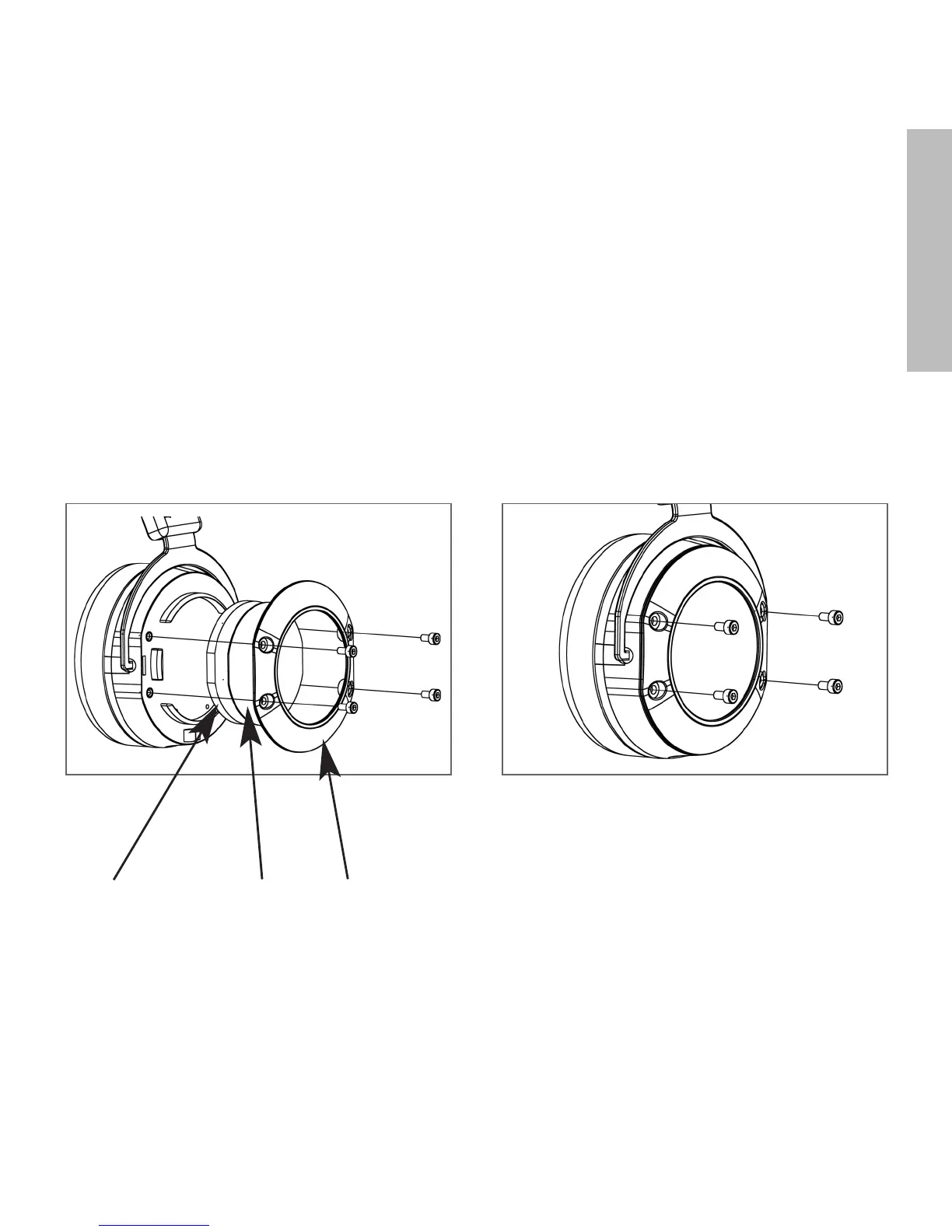
Changing covers
1. Unscrew the four screws on the ring using the Allen key included with
the headphones and remove the ring, the cover and the inlay.
2. Place the new cover and inlay in position and screw the ring back in
place.
1.
2.
Cover
Inlay Ring













 To Next Page