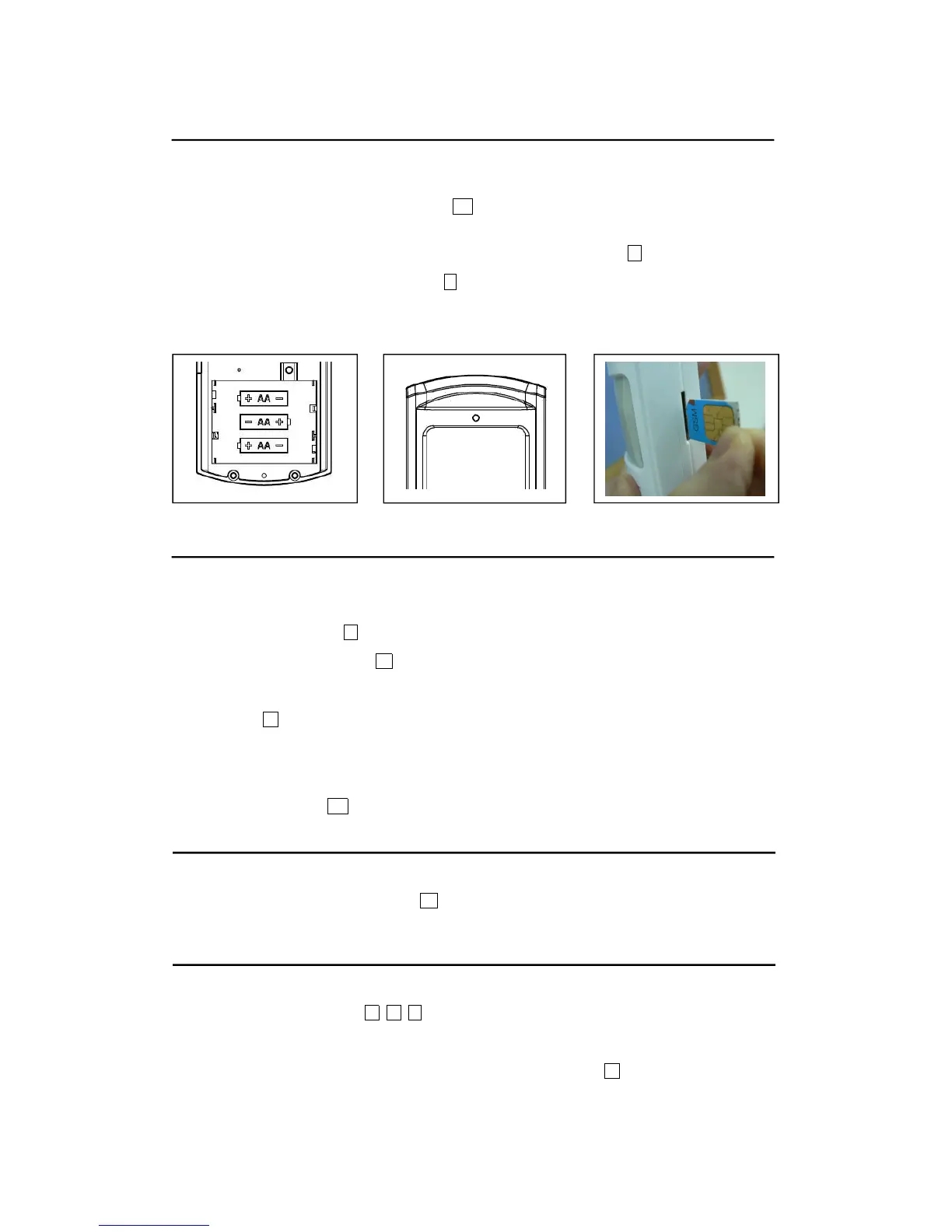
Battery & GSM SIM Card installation
1 Open the battery cover by removing the two screws on the reverse of the unit. Insert 3 x AA Alkaline
batteries (not included) as below diagram M . Once the last battery is installed, a beep will be
sounded as an indication that the batteries are installed correctly.
2 LED Indicator will be lighted up when the battery is low as below diagram F .
3 Insert a GSM SIM card as below diagram J . A click will be sounded once the SIM card is inserted
properly. The SIM card can be removed by pushing it.
4 This alarm does not support SIM card verification. Do not use PIN code for the SIM card.
Programming the remote fob
To activate the remote fob :
1 Press the Learn button L on MH 901;
2 Press the Learn code button C on the side of the remote fob;
3 2 beeps will be sounded;
4 Red LED F will be flashed;
5 The code is paired with the unit and the remote fob successfully.
To deactivate the remote fob :
Hold the learn code C and remove the batteries. Then the remote fob does not have code
programming connected with any main unit.
Under disarm mode, press Learn button L to activate the keypad of the main unit. If no button is
pressed in 15 seconds, the keypad will be locked automatically. The keypad will still be locked even
after the unit is armed by the remote fob.
1 Under disarm mode, press # 1 # ;
3 Start recording for max.6 seconds; Speak closely to the microphone K ;
4 Once the main unit is triggered, it will auto dial the programmed phone number and repeatedly play


 To Next Page
 Loading...