6
OPERATION
SETTINGS
1. Take your Beyond® Guardian Air unit out of the shipping carton and remove all protective materials.
2. Place the unit in a location away from the wall that allows air to move freely into, around and out of the unit. The rear of the unit
requires one inch or more of open area to allow unrestricted airflow.
3. Attach cord to unit, if required. Plug the cord into a working electrical outlet.
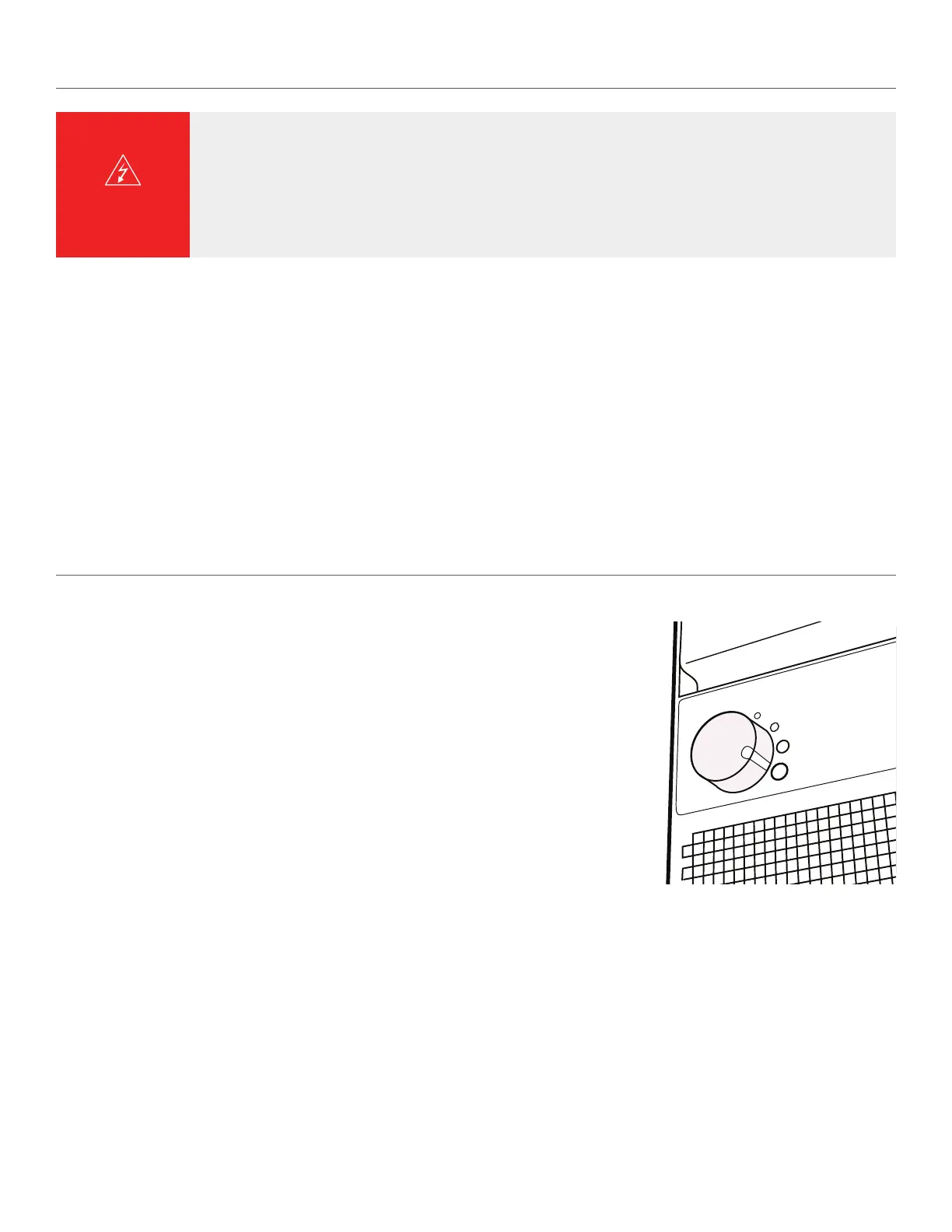
4. When turning the unit on, turn the speed control to MAX airflow for a few minutes of fast initial purification.
5. After a few minutes, adjust the control to the desired speed.
NOTE: Safety switch automatically turns power o when door is opened.
When turning the Beyond Guardian Air on, turn the speed control to maximum airflow for a few
minutes of fast initial cleaning. Then adjust the control to the desired speed.
There are four settings on the Beyond Guardian Air:
1. HEPASilent™
2. Moderate fan speed (for normal use)
3. High fan speed (for a large room)
4. Maximum operation (for fast initial cleaning)
For best results, run your Beyond Guardian Air 24 hours a day, 7 days a week, giving you the
benefits of ActivePure
®
day and night.
NOTE: Safety switch automatically turns power o when door is opened.
M
A X a
i r f l o
w
H E
P A S i l e n t ™
DO NOT place the unit:
• Directly on or near soft furnishing, such as bedding or curtains
• Near electronically sensitive devices, such as a computer (within 6"–10")
• Near sources of heat, such as radiators, fireplaces, or ovens
• Near oxygen tanks or other combustible gases
• Near water, outdoors, or in a damp or wet area(s), such as bathrooms
WARNING


 To Next Page