contacted, the red indicator flashes.
Installation/Removal
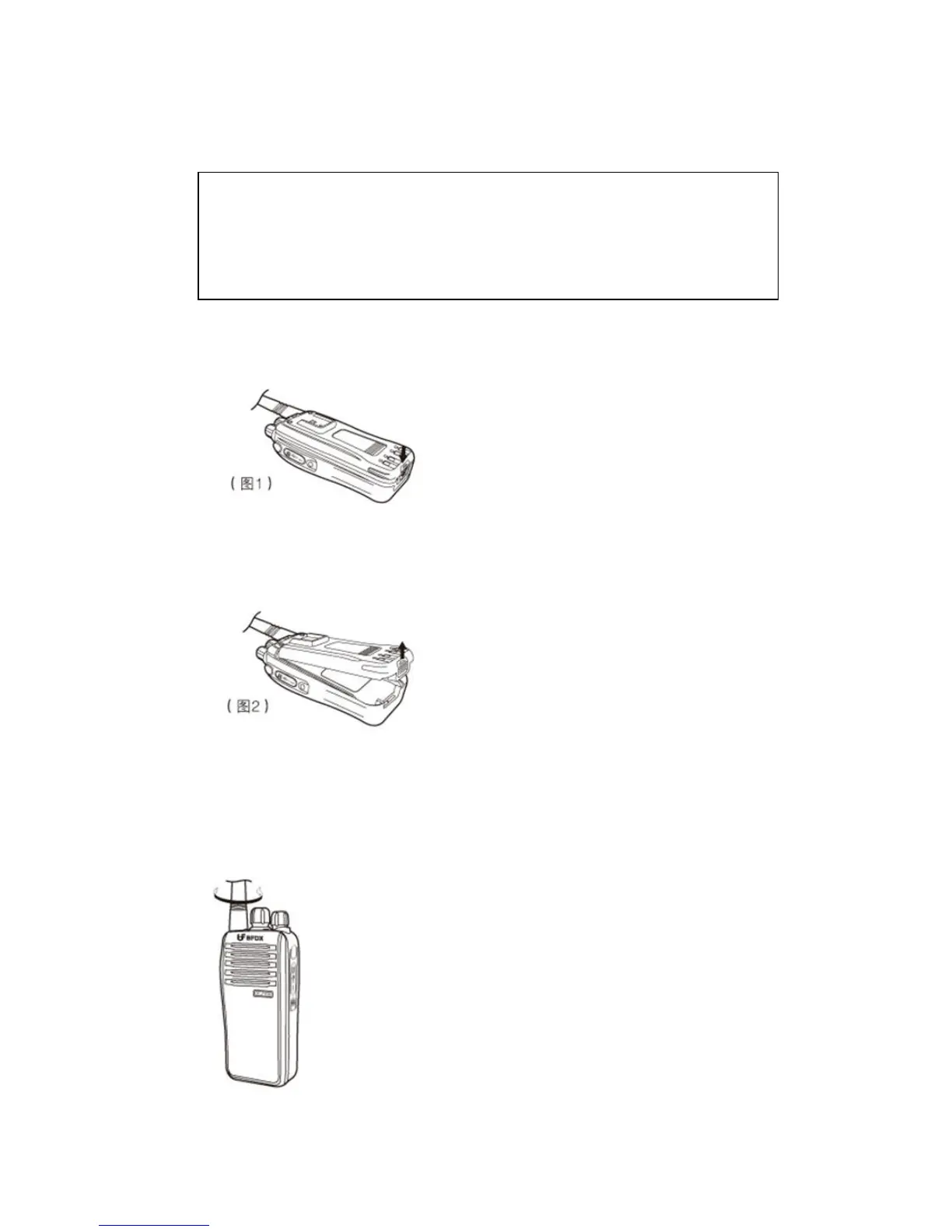
1. Gently press the battery pack into the rear of the product and push horizontally it
till you hear “click” until the battery is locked by the latch at the bottom of the rear
of the product.
2. To remove the battery pack, press the latch at the bottom of the rear of the
product and lift it off.
Antenna
Grasp the antenna base, and turn the antenna clockwise to the antenna base on the
top until it is tightened.
Do not have battery terminals short circuited and do not put the battery in the fire.
Do not remove the case of the battery pack.
Do not install the battery pack in a dangerous environment; otherwise, spark may result in
explosion.



 To Next Page