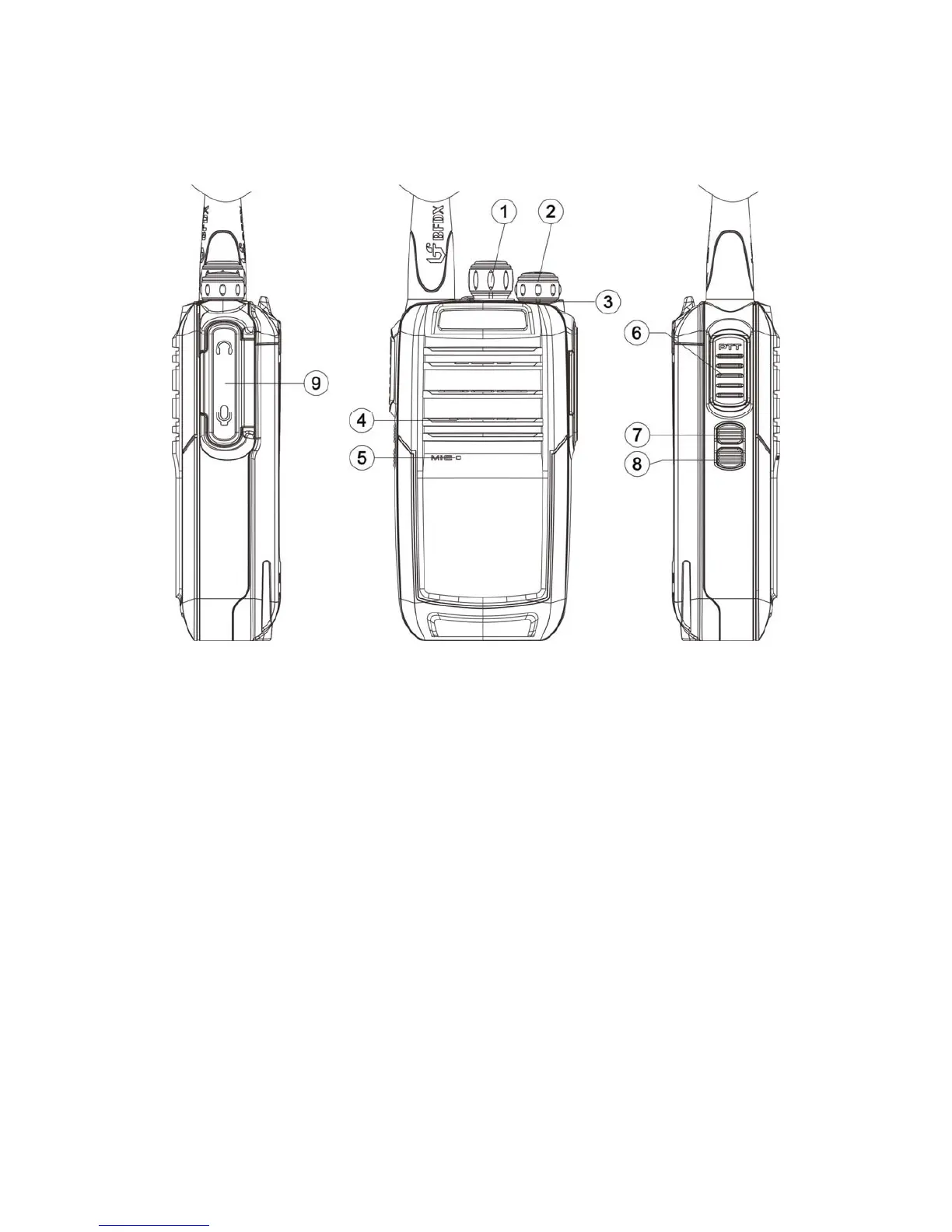
Getting Acquainted
Channel Selector Knob
Turn the knob to select channel 1-16, if a channel is available, there will be
a channel number sounds.
Power switch/volume adjust keys
Turn clockwise to switch the radio power on, when the radio is turned on,
rotate clockwise to increased volume, counter- clockwise to decrease the
volume. Turn counterclockwise fully to switch the radio off.
LED Indicator
When transmitting LED glows red; when receiving LED glows green; when
scanning LED flashes red; when battery gets low, LED flashes red.


 To Next Page