Adjusting the volume
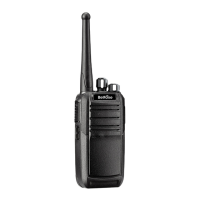
After the radio is power on, you can rotate the power switch/volume adjust
keys to adjust the volume level, rotate the knob clockwise to increase the
volume, or rotate the knob anti-clockwise to decrease the volume.
Selecting a Channel
Turn the channel selector knob to select channel 1 to 16, rotate the knob
clockwise to increase the channel number, or rotate the knob anti-clockwise to
decrease the channel number.
Note: While the channel is un-programmed, a prompt tone: no channel sounds.
Selecting a Zone
The radio supports up to 32 zones, each with a maximum of 16 channels, 32
zones all support up to 160 channels. Via the programming software you can
select 2 desire zones at most to write in. You may select a desire zone through
by setting zone toggle function to button 1 or button 2, then handover zone.
While enable all tone alert, select zone will hear a zone number.
Calls on Digital channel
To transmit press and hold down the PTT key, LED indication glows red, speak
into the microphone, hold the palm microphone approximately 3 to 4
centimeters away from your mouth.


 To Next Page