4
|
NEMESIS
TM
| Quick Guide - EN
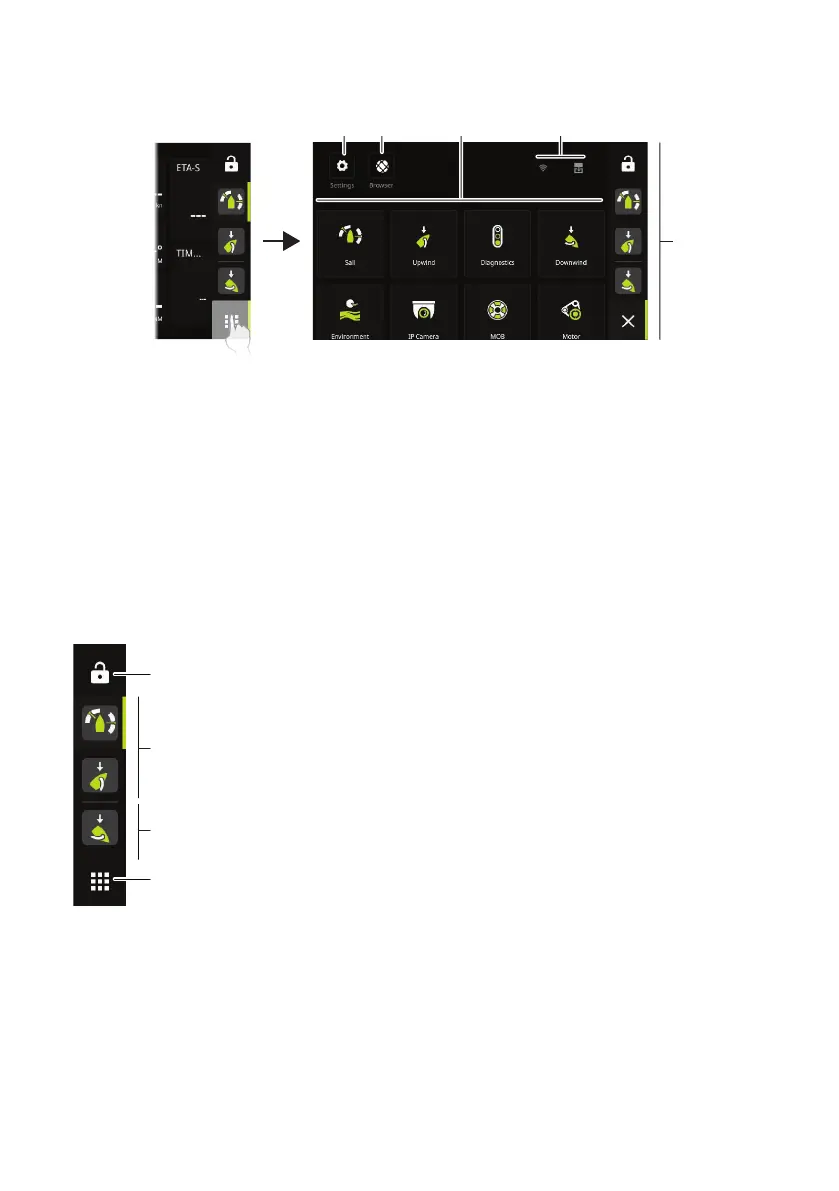
Home screen
The Home screen is accessed by selecting the Home button.
A Settings button - gives access to the system settings.
B Browser button - can be used to access the B&G® CPU web server or for browsing the
internet.
C Dashboards - select the dashboard that you want to activate, or select the new
dashboard option to create a custom dashboard.
D Status bar
E Dashboard bar - pinned and recently used dashboards.
Dashboard bar
A
B
C
A Lock button
B Pinned dashboards - user favorite dashboards.
C Recently used dashboard.
D Home button
¼ Note: The active item in the dashboard bar will be highlighted.


 To Next Page