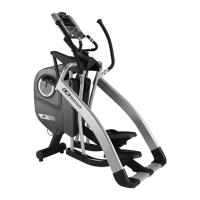
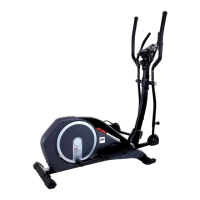
Need help?
Do you have a question about the BH FITNESS KHRONOS G260 and is the answer not in the manual?
 General
| Resistance Levels | 16 |
|---|---|
| Display Type | LCD |
| Programs | 12 |
| Distance between pedals (width) | 18 cm |
| Heart rate monitoring | Yes |
| Bottle holder | Yes |
| Transport wheels | Yes |
| Drive System | Belt |
| Incline Levels | No |
Deposit electronic components in special containers as shown in Fig.2.
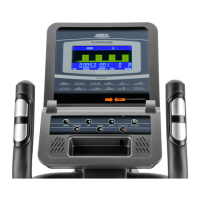
Details the seven function keys and display windows for speed, time, distance, etc.
Lists manual, pre-set, user-defined, and heart rate control programs.
Instructions on transitioning between Manual, Program, User, and Pulse modes.
Guide to setting Male/Female, Age, Height, and Weight for personalized programs.
Setting a time limit for the exercise, from 1 to 99 minutes.
Setting a distance goal for the exercise, from 0.1 to 99.9 km.
Setting a calorie burn target for the exercise, from 10 to 990 Cal.
Setting a constant watt output (10-350W) for consistent resistance.
Setting a target heart rate (30-230bpm) to guide workout intensity.
Guide to choosing program graphs (1-12) and setting levels.
Setting time, distance, calories, and pulse rate for selected programs.
Step-by-step process to program all sixteen stages of a user program.
Setting time, distance, calories, and pulse for user programs.
Choosing target HR as percentage (55-90%) or manual value (THR).
How exertion levels adjust automatically based on target heart rate.
Instructions for using hand-grip sensors (R) for pulse rate measurement.
Information on receiving signals from a telemetric chest band transmitter.
Program to calculate body fat percentage and create specific load profiles.
Explanation of FAT% and BMI results, including error codes E-1 and E-2.
Measures how long it takes heart rate to recover after exercise.
Understanding fitness ratings (F1-F6) as a measure of recovery speed.
Steps to connect the monitor (1) to the handlebar stem (4) using terminals (19/49).
Instructions for attaching the monitor using bolts (3) and flat washers.
Troubleshooting when only the Time function works or the monitor won't switch on.
Advice on avoiding direct sunlight, water, and knocks for monitor longevity.
 To Next Page