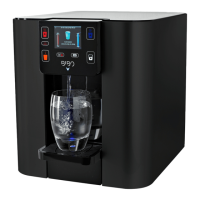
• Place your preferred cup on
the drip tray below the water
outlet.
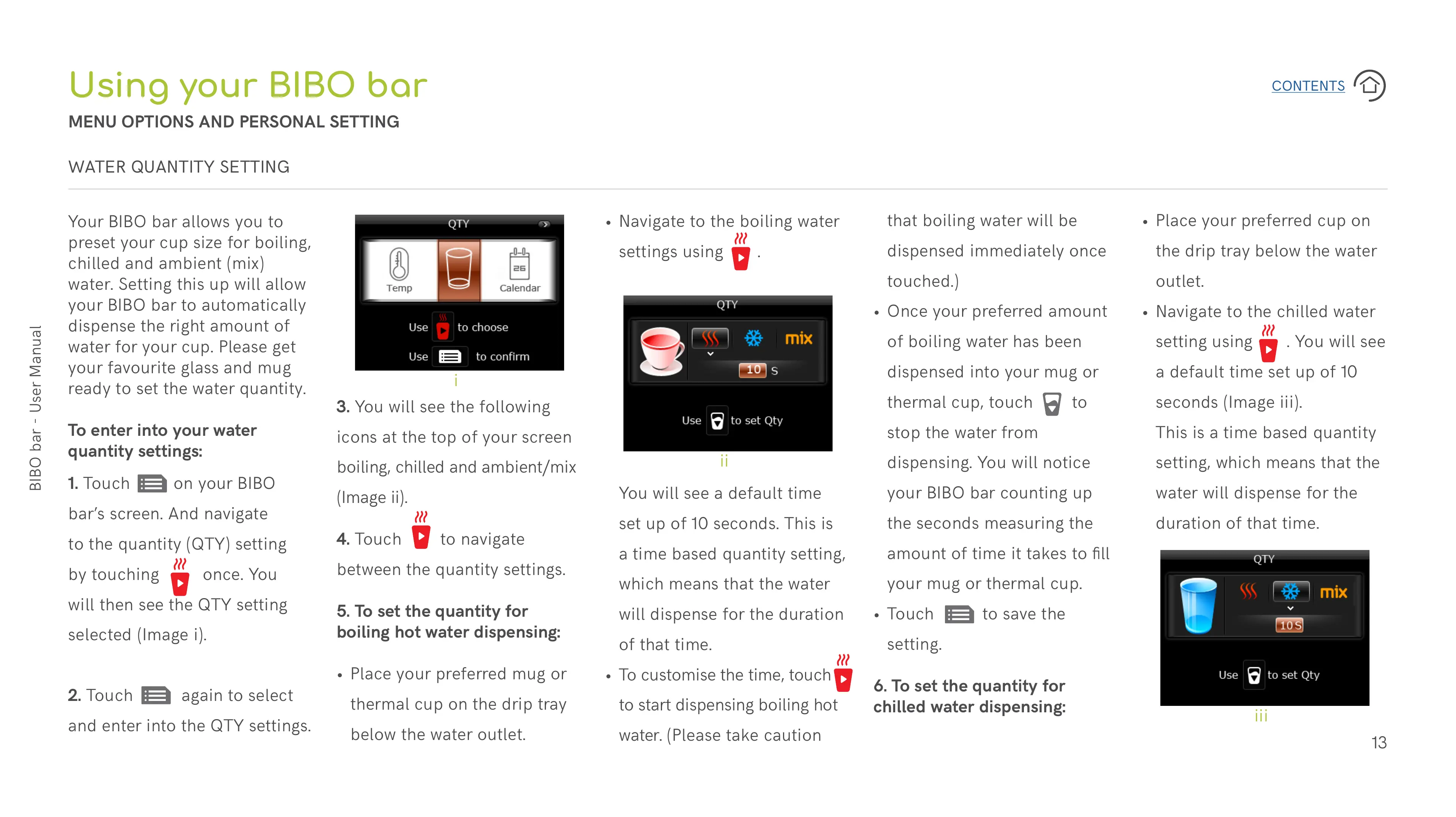
• Navigate to the chilled water
setting using . You will see
a default time set up of 10
seconds (Image iii).
This is a time based quantity
setting, which means that the
water will dispense for the
duration of that time.
You will see a default time
set up of 10 seconds. This is
a time based quantity setting,
which means that the water
will dispense for the duration
of that time.
• To customise the time, touch
to start dispensing boiling hot
water. (Please take caution
that boiling water will be
dispensed immediately once
touched.)
• Once your preferred amount
of boiling water has been
dispensed into your mug or
thermal cup, touch to
stop the water from
dispensing. You will notice
your BIBO bar counting up
the seconds measuring the
amount of time it takes to fill
your mug or thermal cup.
• Touch to save the
setting.
6. To set the quantity for
chilled water dispensing:
Your BIBO bar allows you to
preset your cup size for boiling,
chilled and ambient (mix)
water. Setting this up will allow
your BIBO bar to automatically
dispense the right amount of
water for your cup. Please get
your favourite glass and mug
ready to set the water quantity.
To enter into your water
quantity settings:
Using your BIBO bar
MENU OPTIONS AND PERSONAL SETTING
WATER QUANTITY SETTING
1. Touch on your BIBO
bar’s screen. And navigate
to the quantity (QTY) setting
by touching once. You
will then see the QTY setting
selected (Image i).
2. Touch again to select
and enter into the QTY settings.
3. You will see the following
icons at the top of your screen
boiling, chilled and ambient/mix
(Image ii).
4. Touch to navigate
between the quantity settings.
5. To set the quantity for
boiling hot water dispensing:
• Place your preferred mug or
thermal cup on the drip tray
below the water outlet.
• Navigate to the boiling water
settings using .
i
ii
iii


 To Next Page
 Loading...