What to do if Bien Air CHIROPRO Medical Equipment motor overheats?
- DDanny BlakeAug 20, 2025
If the Bien Air Medical Equipment motor is overheating, it may be due to excessive power demand. Avoid extended use and allow the system to cool down.
What to do if Bien Air CHIROPRO Medical Equipment motor overheats?
If the Bien Air Medical Equipment motor is overheating, it may be due to excessive power demand. Avoid extended use and allow the system to cool down.
What to do if Bien Air CHIROPRO Medical Equipment motor is jammed?
If the Bien Air Medical Equipment motor is jammed for more than 2 seconds, the power supply is automatically cut off to prevent overheating. To resolve this, release the footpedal, release the bur, and then press the footpedal again.
What to do if Bien Air CHIROPRO footpedal is not connected?
If the footpedal is not connected to the Bien Air Medical Equipment device, connect the pedal to the device.
What to do if Bien Air CHIROPRO motor is not connected?
If the Bien Air Medical Equipment motor is not properly connected, first acknowledge the error. Then, reconnect the motor cable. If the problem persists, no answer.
What to do if Bien Air Medical Equipment motor shows a short-circuit?
If the Bien Air Medical Equipment indicates a motor short-circuit, it is due to an electrical failure. Replace the motor and/or cable.
What to do if Bien Air CHIROPRO Medical Equipment displays 'Release pedal'?
The 'Release pedal' message on the Bien Air Medical Equipment may appear because: * The pedal is pressed when accessing settings sub-modes. * The pedal is pressed during device startup. * The pedal is pressed after recovering from an error. To fix this: * Confirm the setting by pressing the knob. * Release the footpedal and press it again. * Release the footpedal and press it again.
What to do if Bien Air Medical Equipment shows a main controller error?
If the Bien Air Medical Equipment displays a main controller error, it indicates a fault condition detected by the software. Switch off the system. No answer.
What does Bien Air Medical Equipment 'low to high speed step transition' mean?
The 'low to high speed step transition' warning on the Bien Air Medical Equipment appears when the user switches from low speed to high speed (above 100 RPM). No action is needed; the warning disappears after 2 seconds.
What to do if Bien Air Medical Equipment shows motor driver communication timeout error?
If the Bien Air Medical Equipment displays a motor driver communication timeout error, it indicates a failure of the DMX controller or the main controller RS-232. Switch off the system. No answer.
What to do if Bien Air CHIROPRO Medical Equipment shows invalid EEPROM memory error?
If the Bien Air Medical Equipment displays an invalid EEPROM memory error, it indicates a failure of the EEPROM memory. No answer. Acknowledging this error allows the operator to work normally but it will not allow settings to be saved or restored. This error will appear at each save or restoration attempt.
Lists symbols related to Chiropro 3rd Gen units and their meanings.
Lists symbols related to Chiropro 3rd Gen accessories and their meanings.
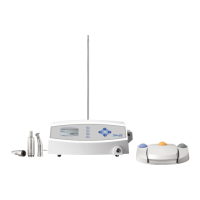
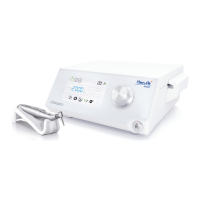
Describes the Chiropro 3rd Gen device and its components.
Specifies the intended users and applications for the Chiropro 3rd Gen system.
Explains text notation and cross-references used throughout the manual.
Provides essential safety warnings and precautions for operating the device.
Provides a visual overview and labeling of the Chiropro 3rd Gen system components.
Outlines precautions related to the device's compliance with safety and EMC standards.
Warns about potential interference and usage near other electronic equipment.
Provides step-by-step instructions for setting up the Chiropro 3rd Gen system.
Explains the correct procedure for turning the Chiropro 3rd Gen device on and off.
Describes the different operational modes of the Chiropro 3rd Gen system.
Details the functions and operations of the rotating knob control.
Details the elements and information displayed on the Chiropro 3rd Gen operation screen.
Guides on performing operations using steps P1 and P2 of the Chiropro 3rd Gen.
Guides on performing operations using steps P3, P4, and P5 of the Chiropro 3rd Gen.
Explains how to adjust the speed settings for the MX-i LED 3rd Gen micromotor.
Details how to adjust the torque settings for the MX-i LED 3rd Gen micromotor.
Describes how to change the rotation direction of the MX-i LED 3rd Gen micromotor.
Lists safety warnings related to operating the Chiropro 3rd Gen system.
Provides recommendations regarding servicing and repairs for the device.
Details the procedures for cleaning and disinfecting the Chiropro 3rd Gen unit and footpedal.
Lists important maintenance-related information and part numbers.
Offers general information and usage guidelines for the device.
Outlines the terms and conditions of the product guarantee.
| Brand | Bien Air |
|---|---|
| Model | CHIROPRO |
| Category | Medical Equipment |
| Language | English |
Loading...