Shenzhen BIGTREE technology co., LTD.
BIG TREE TECH
always on when heating, and it will go out when not heating.
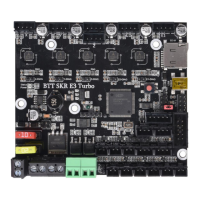
D9 green light is heating rod E0 status indicator: it is always on when
heating and off when not heating
D14 green light for CNC fan FAN0 status indicator: it lights up when
turned on, and goes out when turned off.
D13 green light for CNC fan FAN1 status indicator: it lights up when
turned on, and goes out when turned off.
D10 green light is SD detection indicator. It is on when SD is inserted
and off when it is not inserted.
Ⅲ. Communication between motherboard
and PC
The motherboard communicates with the PC (Windows system) through
the [USB] interface. Before communication, the driver needs to be
installed to be used normally. Driver acquisition method:
Website: https://github.com/bigtreetech Download the file named:
mapleDrv to install it.


 To Next Page