Need help?
Do you have a question about the BIG TREE TECH KNOMI and is the answer not in the manual?
Compares wind speed and acoustic energy between original and KNOMI-equipped Stealthburners.
Guides users through connecting KNOMI to a Wi-Fi network.
Explains causes for KNOMI disconnection and provides resolution steps.
Explains KNOMI's voltage range and connection to power sources.
Instructions for modifying printer.cfg for homing and leveling macros.
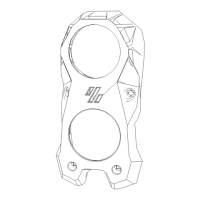
The BIGTREETECH KNOMI is a compact, round-screen display specifically engineered for Klipper-powered 3D printers, offering users an intuitive and personalized method to monitor their printer's operational status. This open-source device is designed to provide critical information through its custom user interface (UI), including heated bed temperature, nozzle temperature, leveling status, and printing progress. Its open-source nature allows for extensive customization of the user interface and the design of bespoke mounting brackets to suit various 3D printer models.
The primary function of the KNOMI is to act as a visual feedback system for 3D printer users. It displays real-time data and status updates, making it easier to track the printing process without needing to constantly check a computer interface. The device is designed to be user-friendly, communicating wirelessly via Wi-Fi. This wireless capability allows for seamless integration into existing network setups and provides flexibility in printer placement.
The KNOMI UI is designed to convey information through clear visual elements, indicating different stages of printer operation. For instance, in "STANDBY" mode, the screen shows a simple, calm face, signifying that the printer is awaiting instructions. When the heated bed or nozzle is warming up, the display changes to "HEATED BED – HEATING" or "NOZZLE – HEATING," showing both the target temperature and the real-time temperature progress. During the "LEVELING" process, a distinct icon indicates that the printer is actively leveling its bed. Once the bed and nozzle reach their target temperatures, the display transitions to "READY TO PRINT," signaling that the printer is prepared to begin. As printing commences, the "START PRINTING" interface appears, showing the printhead in motion. Throughout the print job, the "PRINTING PROGRESS" UI provides a percentage-based progress bar, updating after every 1% increment. Finally, upon completion, the "Print Completed" screen confirms that the task is finished.
The KNOMI is designed for ease of use and integration. Its compatibility with Voron StealthBurner extruders is a key feature, facilitated by custom-printed part files that ensure the StealthBurner's original fan position is maintained while incorporating additional vents for optimized heat dissipation. This design minimizes any potential impact on the StealthBurner's performance, as demonstrated by comparative analyses of wind speed and acoustic energy levels.
Powering the KNOMI is flexible, supporting a wide input voltage range of DC 5V-24V, which allows for convenient power supply options. It can be powered via a Type-C port or an MX1.25 interface. The Type-C port also serves for DIY burning, adding to the device's versatility for advanced users. The full-view screen ensures accurate color representation from any angle, enhancing visibility and user experience.
Configuring the KNOMI involves a straightforward Wi-Fi setup process. Users power on the device, press and hold the BOOT button for 5 seconds until the "HELLO" message appears, and then release it. A Wi-Fi-enabled device can then connect to the "BTT-KNOMI" network. A browser automatically opens a configuration page where users input their local network Wi-Fi credentials and the printer's IP address. After submitting these settings, the device takes approximately 10 seconds to transition to the standard work interface.
It's important to note that the KNOMI may have compatibility issues with WPA PSK encryption for network configuration. If an error occurs, users are advised to check their router's encryption method and switch it to WPA/WPA2 PSK mixed mode or another compatible mode.
Should the KNOMI lose connection with the printer, displaying a "KNOMI has lost touch with the printer" message, troubleshooting involves checking for Wi-Fi name/password changes or network failures. Reconfiguring the network connection by entering the "HELLO" interface or restarting the 3D printer are recommended solutions.
Installation into a StealthBurner involves routing a cable through a designated slot in the printed part before other components are installed. The KNOMI itself is inserted by first angling the Wi-Fi antenna side into its slot, then carefully pushing the entire unit flush with the front cover. A mounting plate is then used to secure the KNOMI in place. For power, if not using an EBB SB 0000 CAN board, the cable is routed to the motherboard or an alternative power source.
While the manual does not explicitly detail maintenance features, the open-source nature of the KNOMI implies a degree of user-level maintainability and upgradeability. The provision of 3D model files for mounting brackets and the ability to customize the UI suggest that users can adapt and repair physical components if needed. The reserved Type-C port for DIY burning indicates that firmware updates or custom firmware installations are possible, allowing users to keep the device up-to-date or modify its behavior.
The recommendation to print additional backup pieces for the Mounting Plate, due to its snap-fit design being prone to damage during repeated disassembly, highlights a practical aspect of maintenance. This foresight allows users to easily replace a potentially fragile component, ensuring the longevity and continued secure mounting of the KNOMI.
Before powering on the device after installation, users are advised to inspect for potential short circuits or reverse polarity issues. This preventative measure is crucial for avoiding damage to the KNOMI and other printer components, emphasizing a proactive approach to device care.
The requirement to add specific macros for homing and leveling to the printer.cfg file is a configuration step that, while not strictly maintenance, is essential for the KNOMI's proper functioning. This involves accessing the printer's control interface, locating the printer.cfg file, and inserting predefined macro definitions. This process ensures that the KNOMI can accurately display status updates related to these critical printer operations.
In summary, the BIGTREETECH KNOMI is a versatile and user-centric display for Klipper 3D printers, offering comprehensive status monitoring, flexible installation, and a degree of user customization and maintainability, all within an open-source framework.
 General
| Resolution | 480*272 |
|---|---|
| Connectivity | USB |
| Touchscreen | Yes |
| Display | LCD |
| Supported Firmware | Marlin |
| Compatibility | Marlin |
| Power Supply | 5V DC |


 To Next Page