EasyManua.ls Logo

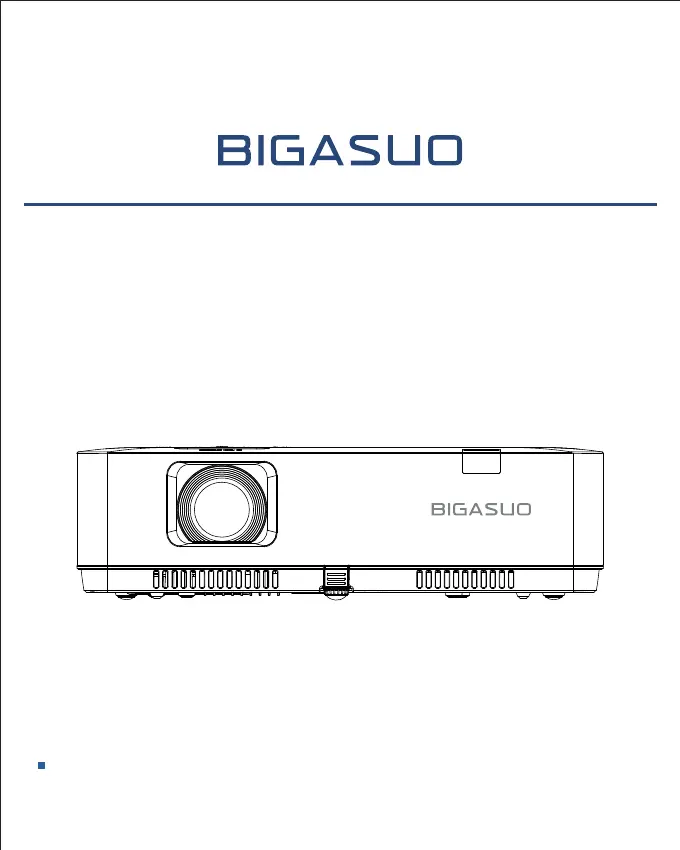
BIGASUO F-1080P - User Manual

BIGASUO F-1080P
33 pages
Print Icon
To Next Page IconTo Next Page
Loading...
USER MANUAL
F-1080P Multimedia Projector
Before using the product, please read these instructions carefully, and kept it safe for future
reference.

Questions and Answers

Summary

Projector Features Overview

Projector Capabilities

Details projector's system settings, presentation tools, lamp control, logo customization, and multilingual support.

Advanced Functions

Covers security features, automatic adjustments, color settings, power saving, and caption display.

Safety Instructions and Operation Guideline

Safety Instructions

Explains symbols for caution, notes, high voltage, and beam warnings for safe projector use.

Safety Precautions

Covers grounding, avoiding direct beam, unplugging when not in use, and proper handling.

Compliance and Environmental Information

Regulatory Compliance

Information for EU users and US customers regarding device usage and mercury content.

Recycling and Disposal

Guidance for EU users on proper disposal of electronic waste and batteries containing mercury.

Installation and Ventilation Precautions

Air Outlet and Ventilation Clearance

Ensures adequate clearance around the projector for cooling and prevents blocking air outlets.

Heat Exhaust Precautions

Advises on keeping flammable materials away from the air outlet and not touching hot components.

Projector Placement and Compliance

Correct Projector Placement

Instructions on correct positioning, avoiding tilt, vertical, upside-down, or horizontal projection.

FCC Compliance

Details FCC compliance for Class B digital devices and measures to correct interference.

Included Accessories

Essential Accessories

Lists AC power cord, remote control, quick start guide, and HDMI cable.

Installation and Power Connection

Connecting the AC Power Cord

Instructions for connecting the projector to an AC power socket using the provided cord.

Power Cord Precautions

Guidelines on using compliant power cords and proper connection to sockets for safety.

Remote Control Setup and Projector Setup

Installing Remote Control Batteries

Steps to open the cover, insert batteries, and close the remote control.

Projector Setup and Screen Size

Guidance on optimal image effect by controlling brightness and screen size recommendations.

Basic Operation

Powering the Projector On;Off

Detailed steps for turning the projector on and off, including indicator lights and cooling.

Auto Setup Function

Uses AUTO button for input search, PC adjustment, and keystone correction.

Adjusting the Projected Image

Positioning the Projector

How to place the projector perpendicular to the screen and adjust its height and angle.

Image Adjustment

Zoom and Focus Adjustment

Using the ZOOM and FOCUS rings to adjust picture size and clarity.

Keystone Adjustment Overview

Accessing keystone correction, corner correction, curved correction, and reset value.

Keystone Correction Details

H;V Keystone Correction

Correcting projected images horizontally or vertically using arrow buttons.

Corner Correction

Correcting distorted four corners of the projected image.

Advanced Image Correction

Curved Correction

Correcting linearity unevenness or bending deformation of projected images.

Resetting Adjustments

Restoring all adjustment values to factory defaults.

Control Panel and Indicators

Control Panel Overview

Description of power, menu, OK, input buttons and arrow keys on the projector.

Indicator Lights Status

Explains the meaning of WARNING and POWER indicator lights (red, green, yellow).

Remote Controller Functions

Remote Controller Buttons

Detailed explanation of each button on the remote control and its function.

Projector Terminals

Terminal Descriptions

Details of audio, video, HDMI, computer, RS-232C, USB, and LAN terminals.

Connecting to PC and Video Equipment

PC and Video Connections

Instructions for connecting PC (VGA, HDMI, RS232) and video equipment using various cables.

Connecting Audio and USB Devices

Audio and USB Connections

Guidance for connecting audio equipment and USB storage/wireless cards.

Aspect Ratio Adjustment

Aspect Ratio Settings

Adjusting image aspect for Normal, Wide, Full, or Advanced splicing screen modes.

Projection Mode Settings

Setting Project Way

Configuring projection mode for Front, Rear, Ceiling/Front, or Ceiling/Rear installations.

Color Adjustment

Color Adjustment Options

Adjusting contrast, brightness, color temperature, red, green, blue, and sharpness.

Automatic Setup Functions

Auto Setup Features

Using Auto Setup for input search, PC adjustment, and automatic keystone correction.

Logo Customization

Logo Screen Settings

Configuring logo screen display (Normal, User, Off) and PIN code lock.

Image Capture

Capturing projected images for custom startup or presentation displays.

Useful Functions

Memory Viewer Function

Projecting video and pictures from USB memory, supporting various file formats.

USB Display Function

USB Display Requirements

System requirements for Windows and Mac OS for USB display functionality.

Maintenance and Cleaning

WARNING Light Indicator

Understanding the WARNING light for projector protection and maintenance.

Troubleshooting Indicators

Checking clearance, air outlet, and filter condition for proper operation.

Appendix: Indicator Status

Light Indicator Status Guide

Explains the states of WARNING and POWER lights for projector status.

Troubleshooting

Power On and Logo Issues

Solutions for power on failures, logo screen display issues, and input signal problems.

Image and Remote Control Problems

Troubleshooting fuzzy images, mirrored images, and remote controller malfunctions.

Troubleshooting (Continued)

Image Display and Color Issues

Resolving dim images, no image display, abnormal colors, and invisible operations.

Setting and Power Management Issues

Addressing auto PC adjusting failures, settings not saving, and power management problems.

Troubleshooting (Continued)

Setup and Control Issues

Solutions for auto setting, distorted images, password prompts, and control panel malfunctions.

General Troubleshooting Tips

Ensuring external connections, power, and restarting for projection failures.

BIGASUO F-1080P Specifications

General IconGeneral
Lamp Life50, 000 hours
Aspect Ratio16:9
Weight2.5 kg
Resolution1920x1080
ConnectivityHDMI, USB, VGA, AV
Keystone Correction±15°
Throw Distance1.5-5m
Input PortsHDMI, USB, VGA, AV
SpeakerBuilt-in Speaker