3
Package Contents
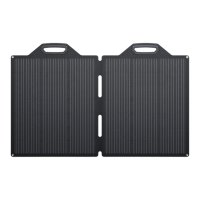
1× 28W Solar Panel
1× USB-A to USB Type-C Cable
4× Carabiner
1× User Manual
Operation Guidance
1. Unfold the solar panel. Place it under direct sunlight and
ensure it is facing towards the sun.
2. Connect electronic device or appliance to the USB output
port of the accessory socket. The red indicator light
would be on while charging your devices and appliances.
Warning: Always treat the solar panel with care. Do not drop
or scratch the product. Ensure it is kept away from sharp
objects.
Specifications



 To Next Page