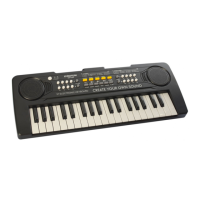
Illustration
1. Power on/off
2. Tones
3. Volume + -
4. Drum combination / Animal sound
5. Stop
6. Demo A
7. Demo B
8. Record
9. Program
10.Play
11. Tempo
12. Rhythm
13.DC 5V Micro-USB port
CHOICE OF POWER SUPPLY
1. DC adaptor: only use DC adaptor with USB connector which voltage
output should be DC 5V, electricity should be 1000mA or above. Use other
voltage adaptor may cause malfunction.
2. Computer: only connect to USB with voltage output DC 5V, electricity
should be 1000mA or above. Use other voltage computer USB may cause
malfunction.
TURN ON FOR PLAYING
Choose one of the above power supplies and connect the USB cable with the
keyboard. Press the power on/off button and play any white or black keys, if
there’s a piano rings up, the keyboard works.
Sleep function:
1. When the keyboard is not playing more than 3 minutes, it will
automatically enter the sleep function.
2. To wake it up, press any white or black keys.
HOW TO PLAY
1. Demos
A. Press DEMO A , it will play 11 demos in sequence. The song will replay
when it is finished. If you want to stop, then press STOP button.
B. Press DEMO B, it will play 11 demos randomly. If you want to stop, then


 To Next Page
 Loading...