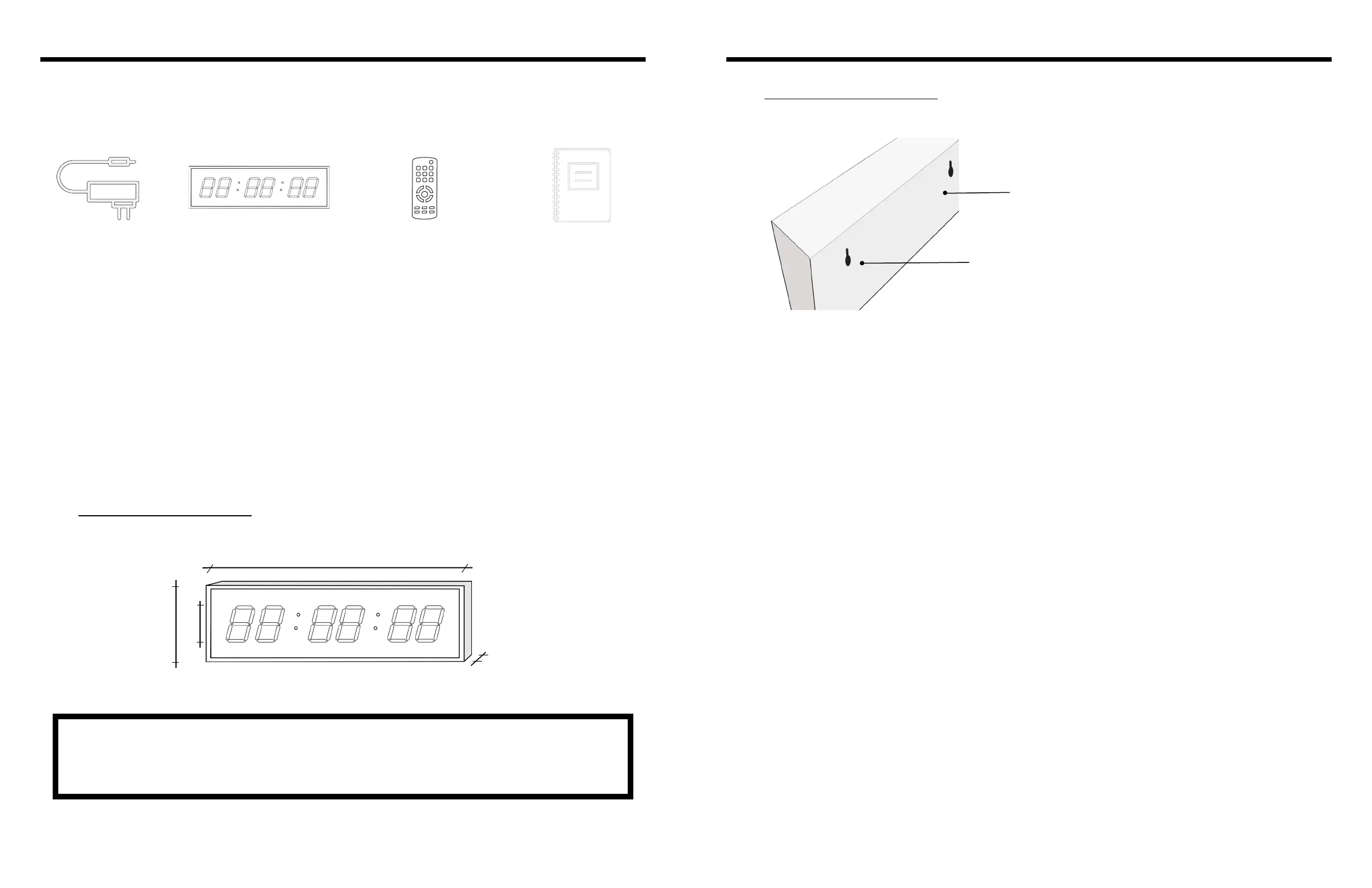
What’s in the box
NOTE: Model 150 is a plug-in digital clock. A small battery is included in the clock for backup purposes
in order to maintain clock functions in the background. The battery will however not illuminate the display.
The clock will remain on time when power resumes. Model 150 is exclusively operated with the remote
control supplied with the clock.
1. Overview
BigTimeClocks® model 150 are 5”numerals / 6 digits indoor wall clock which displays time of day in hours,
minutes and seconds and also features countdown, count up, stopwatch and interval functions. The clock
must not be permanently installed outdoors but can however be used for outdoor events if not exposed to
water/rain.
Model 150 is operated only with the supplied remote control model REM-150 (spare remote controls are
available on demand, please contact Customer Service- see page 6 for contact details).
Model 150 is designed to be either wall mounted or mounted onto tripod model #300 (download our
installation manual online).
1x 1x
2
BigTimeClocks
®
BigTimeClocks
®
• Model 150 features Time of day, Countdown, Count Up, Interval Timing and Stopwatch functions.
• Model 150 can store up to 8 programs as a combination of Countdown, Count Up, or Interval
Timing.
• Model 150 includes a backup battery to keep the time running, for 10 years+ in case of a power loss
( the battery will however not illuminate the display)
• Please use the remote control keys to operate the clock (see section 5/page 7, “Remote Control”)
2. Setup
2.1 General instructions
Press the power key to turn the clock on. HH:MM:SS time format is the default display.
Press the “Set” key to set the time: the hour digits will start to blink. Press the number key to assign a
value and press the left or right arrows keys to navigate to the minutes and seconds digits and change in
the same way. Press the “Set” key again to save data and exit setting mode. Or press the “exit” key to exit
without saving.
Note:
• The time format can be changed from 12-hours to 24-hours (military time) by pressing the “shift” key to
move from one format to the other.
• The time of day display can be accessed at any point by pressing the “Clock” button on your remote
control.
2.2 Time of day
Models 150 Model 150
3
Remote controlPower supply
1x
Digital clock
1x
User’s guide
Figure 1
Clock dimensions
35”
5”
10.5”
1.57”
Figure 2
Rear view of clock
Key hole
Clock rear panel



 To Next Page
 Loading...