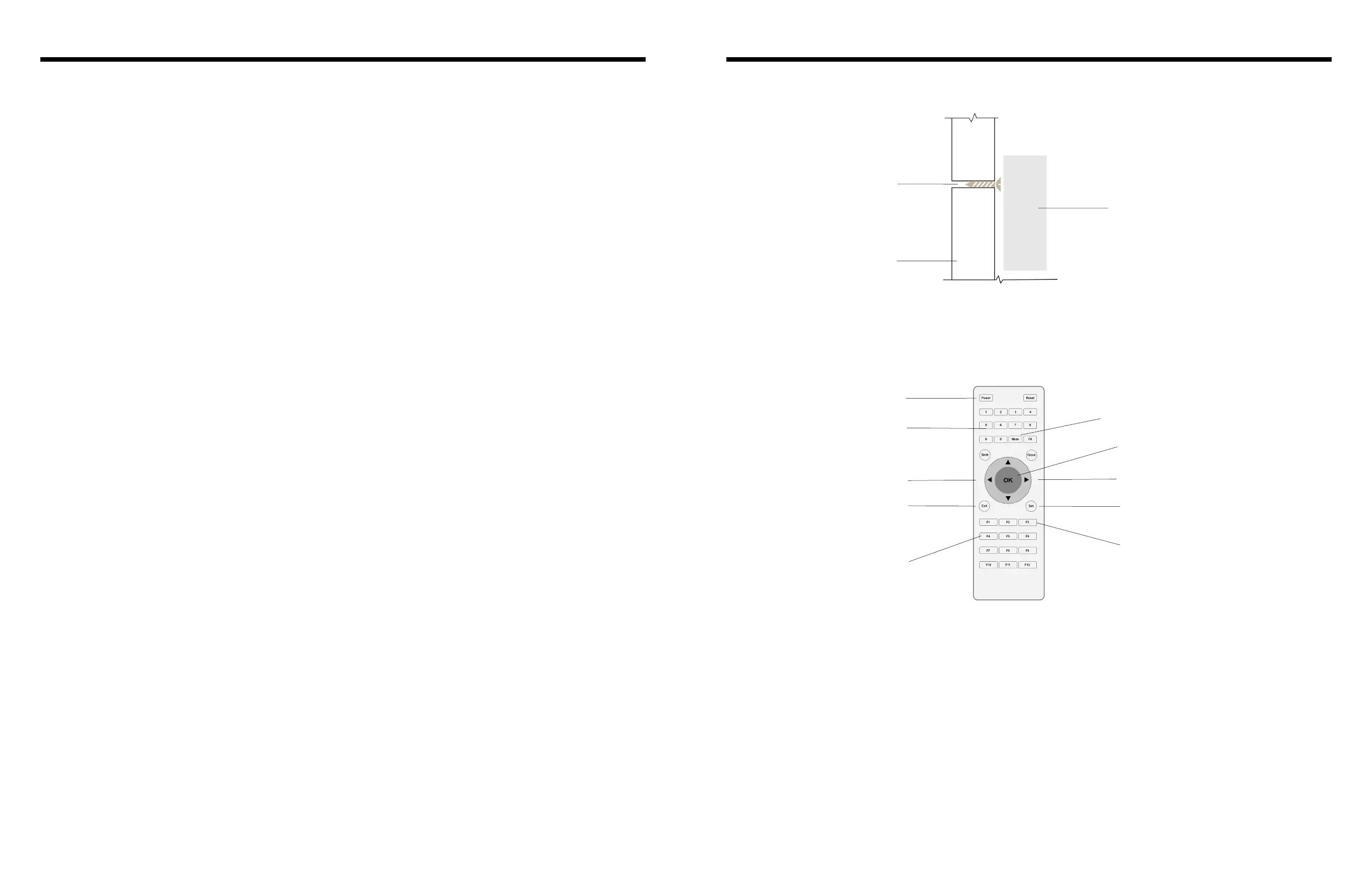
4. Wall mounting
5. Remote control
3. Notes
6 7
Model 150/170/240
BigTimeClocks
®
BigTimeClocks
®
Model 150/170/240
Side view
of clock
Screw in wall
Wall
Display On/O
Numerical keypad to
set and recall saved
functions
Exit key to exit setup
without saving data
Moves selection left
Auto repeat key
Remote sound On/O
Enters editing mode
OK key starts/stops/resumes any function
10 second “pre” countdown/ up
Moves selection right
Press F3 to add or cancel a 10 second countdown preparation for any Countdown, count up or
Interval timing prorgam. When selected, a light on the right of the unit turns on. (If you use the program
preparation function and the overall sound is muted you will still hear a beep sound for the last 3 seconds
of the preparation when it beeps 3-2-1- start.)
2.9 Program Preparation Function
When AUTO REPEAT is selected (KEY F4), the countdown or count up program nishes and then ashes
and beeps for 6 seconds before automatically repeating. When selected, a light on the right of the unit
lights up.
2.10 Auto Repeat
To access a stored program, just press the F5-12 KEY in which it is stored. The clock will switch
automatically to whatever function the stored program applies to.
2.11 Stored Program Access
• Please stop any function in progress before switching to another timer function
• The remote control requires 2 x AAA batteries
• Please use the original power adapter supplied with the clock to avoid any damage. If the power
adapter must be replaced, please use an identical power specication or reach out to BigTimeClocks® to
order a replacement power adapter.



 To Next Page