EasyManua.ls Logo

Bilanciai VENUS - User Manual

Bilanciai VENUS
184 pages
Print Icon
To Next Page IconTo Next Page
Loading...
VENUS
User manual
Code 81320051 EDITION 1 December 2003

Table of Contents

Questions and Answers

Summary

GENERAL INFORMATION

Declaration of Conformity

Declares compliance with EU standards and CE marking for the weighing indicator VENUS.

Foreword

Provides information on manual usage, safety responsibilities, and manufacturer liability.

Symbols and Notation

Explains danger, attention, and warning symbols and notation conventions used in the manual.

Documentation

States the manual is accompanied by a CD-ROM with installation information.

Terminal Description

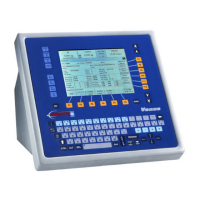
Describes the digital weight indicator's capabilities, use, display, and keypad.

Technical Characteristics

Lists technical specifications like power supply, resolution, sensitivity, and operating range.

Overall Dimensions and Weight

Provides physical dimensions and weight of the terminal with an illustration.

Obtaining Technical Assistance

Guides users on how to contact for technical assistance and what information to provide.

Replacement Parts List

Lists available replacement parts with their respective codes and descriptions.

Warranty Information

States warranty conditions are specified in the contract of sale.

SAFETY INSTRUCTIONS

Prohibited Uses

Details forbidden uses of the terminal, including explosive atmospheres and unauthorized modifications.

Regulations Compliance

States terminal operation must comply with country-specific regulations.

Prescriptions for Safe Use

Provides crucial guidelines for safe operation, maintenance, and connections.

Professional Profiles

Defines different professional profiles (operators, technicians) and their responsibilities.

DELIVERY AND INSTALLATION

Electrical Connection

Details safety checks and procedures for connecting the terminal to the main power supply.

Weighing Platform Connection

Explains how to connect the terminal to the weighing platform using specified cables.

Equipotentiality and Earth Connection

Emphasizes ensuring equipotentiality between terminal and platform using an earth cable.

Analogue Cell Connection

Details the pinout of the JBIL connector for connecting analogue cells.

Serial Output Connections

Describes serial output configurations (RS232/422/485) and pin connections.

RS232;RS422;RS485 Configuration Details

Provides limits and recommendations for RS422 and RS485 serial connections.

Keyboard Connection

Mentions the input for a PC keyboard via the KBD connector.

Fast Ethernet Connection

States the pin-out for RJ45 Fast Ethernet connection.

Printer Connection

Explains connecting an external printer via COM 1 serial port.

CONTROLS, DISPLAY, AND POWER MANAGEMENT

Front Panel Overview

Identifies the main components on the front of the terminal: display and keyboard.

Display Overview

Details the different areas of the LCD display and their functions.

Pathway Area

Explains the area displaying the current menu pathway in the display.

Tare Area

Describes the tare area, showing units and preset tare values.

Weight Area

Details the weight area, including units, stable weight symbol, and center zero symbol.

Metrological Data Area

Explains the metrological data area showing max capacity, min capacity, and division.

Price Area

Describes the price area where unitary price is displayed with the current currency.

Message Area

Explains the message area for operator and error messages.

Metrological Symbol M Area

Explains the meaning of the 'M' symbol on green or red backgrounds.

Functions Area

Describes how functions are activated via F1-F12 keys and macro functions.

Date, Time, and Level Area

Explains the display of date, time, and current operating level.

Settings Area

Describes the area for displaying data items of various archives.

Keyboard Layout and Key Groups

Introduces the keyboard layout and key grouping by color.

Function, Date, and Summing Keys

Describes function, date, and summing keys, noting their colors and uses.

Alphanumerical Keys

Details how to use alphanumeric keys for lower/upper case letters and symbols.

Editing Keys

Explains the function of editing keys like ESC, HOME, arrows, and Backspace.

Special Function Keys

Explains keys like Caps Lock, Tab, DEL, 2nd, ENTER, GUIA HELP, FEED, PROGRAM.

Terminal Power Management

Details powering the terminal on/off and the boot phase procedures.

BOOT Phase Operations

Describes the boot phase and emergency procedures using ESC and CTRL+R keys.

TERMINAL OPERATION AND PROGRAMMING

Manual Convention Guide

Explains conventions for menu pathways and key usage (ENTER, ESC).

Operating Levels Overview

Introduces operating levels for simplifying and securing weighing operations.

Introduction to Operating Levels

Explains the purpose of operating levels and how they enhance security and ease of use.

List of Operating Levels

Lists and describes the 5 operating levels (0-5) and their functions.

Level and Password Management

Details changing operating levels, passwords, and startup access levels.

Access Level Changes on Powering

Explains how to set the starting operating level that the machine uses when powered on.

Operating Level Functions

Lists extensive functions available for each operating level.

Macro Function Programming

Explains macro functions for associating operations with keys and how to program them.

User Menu Navigation

Provides a hierarchical view of the terminal's user menus and their associated functions.

Text Programming and Management

Details programming and managing texts for labels, including archive structure and entry.

Label Creation and Design

Covers creating, editing, and printing labels, including rules for net weight and calculations.

Barcode Programming

Explains creating, customizing, and managing barcodes for labels.

Barcode Types and Specifications

Details various barcode types (EAN, UPC, Code 39, etc.) with their formats and characteristics.

PLU (Price Look-Up) Management

Covers PLU management, including archive, entry, copying, cancellation, and pre-selection settings.

Date Printing Format Selection

Explains how to select various date formats for printing on labels.

Storage Days and Expiry Date Calculation

Details setting storage days to calculate expiry dates and managing date modifications.

Image Management for Labels

Covers managing images for printing on labels, including archive and memorization.

TERMINAL PROCESS OPERATIONS

Data Modification Procedures

Refers to modifying data as described in section 5.2.4.

Basic Reversal Operations

Explains how to perform basic reversal operations for quantities and update totals.

Evolved Reversal

Refers users to an advanced manual for evolved reversal operations.

Totals Management

Covers managing totals, including advanced closing and use of totals.

MAINTENANCE

Internal Battery Check and Replacement

Describes the terminal's internal battery check and replacement procedure.

Fuse Replacement Procedure

Provides instructions and safety warnings for replacing fuses, including the correct fuse type.

OPTIONS AND ACCESSORIES

Flash Compact Memory Installation

Explains how to insert and fit the flash compact memory into the adapter and ATA slot.

Parallel Output Port

Describes the optional parallel output for printer connection via a 25-pin connector.

Software Features

Details software capabilities like printing packing lists and tracing fresh food lots.

TROUBLESHOOTING

Malfunctions and Error Messages

Explains how error signals are accompanied by troubleshooting functions and when to contact service.

Terminal Troubleshooting

Lists common terminal faults (no power, overload) with causes and remedies.

Printer Status Indicators

Explains the meaning of printer LED indicators (RED, GREEN, YELLOW) for status and errors.

Bilanciai VENUS Specifications

General IconGeneral
BrandBilanciai
ModelVENUS
CategoryIndustrial Equipment
LanguageEnglish