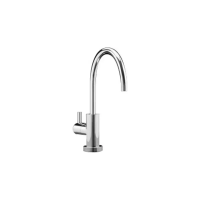
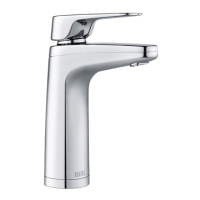
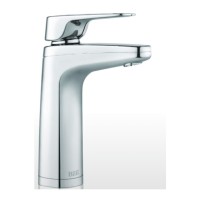
The Billi B-5000 is a drinking water appliance designed to dispense boiling, chilled, and filtered water. It is available with three tap options: XL, XT, and XR, each offering slightly different operational interfaces. The unit is manufactured in Australia to exacting standards, using high-quality materials, and is designed for longevity with proper maintenance.
Function Description:
The Billi B-5000 provides instant access to boiling, chilled, and filtered water. It incorporates a five-stage filtration system using Fibredyne™ technology, which increases the surface area of the carbon for improved filtration quality. This system removes sediment and chemical elements while allowing beneficial minerals to pass through, preventing scale buildup and inhibiting the growth of bacterial microorganisms like giardia and cryptosporidium. The appliance is intended for use in household and similar applications, including staff kitchen areas in shops, offices, farmhouses, hotels, motels, residential environments, bed and breakfast establishments, and catering applications.
Important Technical Specifications:
- Water Inlet Pressure: Maximum 1 MPa.
- Ambient Air Temperature: The unit should operate within 5°C to 30°C. If the ambient temperature could fall below 4°C when the heater is not in use, the power supply should not be turned off.
- Filtration: Five-stage Fibredyne™ technology for sediment, chemical, and microorganism reduction.
- Power Consumption: Features energy-saving modes like EcoIntelligence (self-learning timer) and Standby Mode to reduce power consumption. Holiday Mode disables both the chiller and heater for extended periods of non-use, consuming very little power.
- Safety Features:
- Safety Timeout: Automatically stops water flow after a set time (10 seconds for boiling, 1 minute for chilled) to prevent uncontrolled flow.
- Childproof Safety Switch: A lock-out feature to prevent accidental dispensing of boiling water.
- Boiling Water Safety Isolation Mode: Allows boiling water to be totally disabled while chilled water can still be dispensed.
- Thermal Cut-out: A safety mechanism that indicates a potentially dangerous situation; should only be reset by a suitably qualified person after servicing.
- Vent Pipe: No restrictor or pressure relief device should be connected to the vent pipe.
- Supply Cord: If damaged, it must be replaced by the manufacturer, its service agent, or similarly qualified persons.
- Dispenser Design: Ergonomic levers/touch activations located safely above the water outlet, smooth electronically controlled boiling water flow rate to prevent splashing, and a cool-to-touch dispenser.
- Ventilation: Requires minimal cupboard ventilation with 100mm air space around the underbench module. Restricted airflow can lead to inefficient refrigeration.
Usage Features:
- Dispenser Swivel: The dispenser can be swung out of the way to provide more sink space, with a central position stop for normal usage.
- Operation (XL Tap): Press the left lever for boiling water and the right lever for chilled water. Lifting the levers latches them for continuous delivery until released with a light press.
- Operation (XT, XR Taps): Press the red (left) button for boiling water and the blue (right) button for chilled filtered water. Double-tapping either light will dispense water continuously until interrupted by another light press.
- Options Mode: Allows users to set safety switch and power-saving modes. To enter:
- Turn on the unit and wait for normal operation (icons illuminated constantly).
- Press both hot and cold levers/rings, then touch the safety switch indent/padlock icon. Hold until dispenser lights change color.
- Release levers/rings and safety switch.
- Within 10 seconds, push and release the pressure relief button on the unit (may be skipped on older models).
- Unit is now in options mode.
- Safety Switch Settings: Indicated by a red padlock icon. In options mode, press and release the hot (left) lever/button to scroll through:
- Red Icon Off: Hot tap disabled.
- Padlock icon on, Red icon on: Safety switch enabled.
- Red Icon On: Normal operation with safety switch not enabled.
To save, touch the safety switch and release.
- Power Save Mode Settings (EcoIntelligence, Standby, 24/7): Indicated by green icons. In options mode, press and release the cold (right) lever/button to scroll through:
- Green Leaf icon: EcoIntelligence self-learning timer enabled.
- Moon & Star Icon on: Standby Mode enabled.
- Blue Icon On, no green icons: System in 24-hour continuous mode.
To save, touch the safety switch and release.
- Holiday Mode: Activated by pressing the Pressure Relief button. Indicated by an illuminated star & moon icon. Exits when power is cycled or any lever is pressed.
- Dispenser Icon Codes:
- Orange Dot: Flashes when filter change is due, constant when overdue.
- Red Lock (illuminated): Safety button activated. Press the indent/icon and lift/press the boiling lever/button to dispense boiling water for 8 seconds.
- Green Leaf (illuminated): EcoIntelligence enabled.
- Green Moon & Stars (illuminated): Holiday mode (Red & blue icons not displayed).
- Green Moon & Stars (flashing): Standby mode (Red & blue icons not displayed).
- Red Dot/Ring: Flashes when heating up, constant when boiling water ready, off in holiday/standby mode.
- Blue Dot/Ring: Flashes when chilling, constant when chilled water ready, off in holiday/standby mode.
- Red & Blue Dots/Rings (flashing yellow): Unit in fault mode.
- Normal Operation: Red and blue icons/rings constant.
- Operating Temperatures Not Reached: Red and blue icons/rings flashing.
- Boiling Water Disabled: Red icon/ring off, blue icon/ring constant.
- System in Holiday/Standby Mode or Off: Red and blue icons/rings off, moon & star icon flashing/illuminated.
Maintenance Features:
- Filter Cartridge Replacement: Periodic replacement (at least every 12 months) is necessary to maintain water quality. A filter change due monitor counts dispensed cups and elapsed days, illuminating a yellow filter icon when replacement is due. Filters can be purchased online or through certified agents.
- Filter Removal and Replacement Instructions:
- Remove the front panel.
- Place the unit in Holiday Mode by pressing the Pressure Relief button.
- Hold the filter and swing it out slowly (it's in a hinged cradle, stops at ~30 degrees).
- Pull down on the filter to release it from the cradle.
- Wipe any spilled water in the tray.
- Push the new filter all the way up into the cradle.
- Push the filter back into the unit until it locks.
- Flush the chilled side until water flow stops, wait 10 minutes, and repeat twice.
- Check for leaks.
- Replace the front cover.
- General Maintenance: During each filter change, check all water connection fittings and tubing for signs of leakage or damage. Ensure the cupboard area around the unit is free of moisture. Keep side vents clear to ensure proper airflow for the refrigeration system.
- Cleaning the Dispenser: Made from solid zinc casting with chrome plating. Use a damp cloth and a non-solvent, non-smearing cleaner (like Windex). Avoid abrasive cleaners and do not pour water over the dispenser.
- Service Support: Contact Billi Head Office for filtration and service contract information, or for technical support. Service calls and filter changes can be booked by phone or online.
- Hose Sets: Only Billi hose sets supplied with the appliance should be used; old or other manufacturer's hose sets should not be re-used.

 Need help?
 General

 To Next Page