15/40
-
sets the operating time at which the unit shuts down. Press the "TIMER"
(5), button repeatedly: each press changes the time in 1 hour intervals (from 1 hour
to 12 hours), and the selected duration will be shown on the control panel. To
deactivate the timer, press the button until the timer turns off.
-
: press the button to activate the function and the corresponding
symbol and the LED light loop with alternating colours illuminate on the display. The
device can be connected to the fan up to a distance of 5/6 metres; the volume can
only be adjusted via the device. To deactivate the function press the button again
until the corresponding symbol goes out.
-
press the (4) button, turn it on or turn it off.
- The display shows the temperature and all functions (except the swing function)
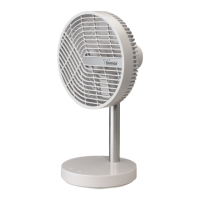
Bluetooth speaker First Installation/Setup
Place the appliance near to the device and press the “ “ button to activate the
function; a beep will be heard.
Activate the Bluetooth connection on the device (smartphone, tablet, PC, etc.) - symbol
“ “. Perform the search for model “TH-817EM” and then confirm the pairing; a beep
will be heard. Press the paired model to customise, e.g. device Name, etc.
The fan can only be paired with device; to unpair the device, click "Unpair" and confirm
The fan and the speaker function can operate together or separately.
To operate the fan, plug it into a socket: the “ " symbol will light up and you will hear
a "beep" (indicating the standby status); press the “ " button to activate the fan and
select the desired functions.
To deactivate the unit, press the " " button: the symbol “ " will remain lit. To turn
off the appliance, unplug it from the socket.


 To Next Page