NAVIGATION
18
3.2 Route Navigation
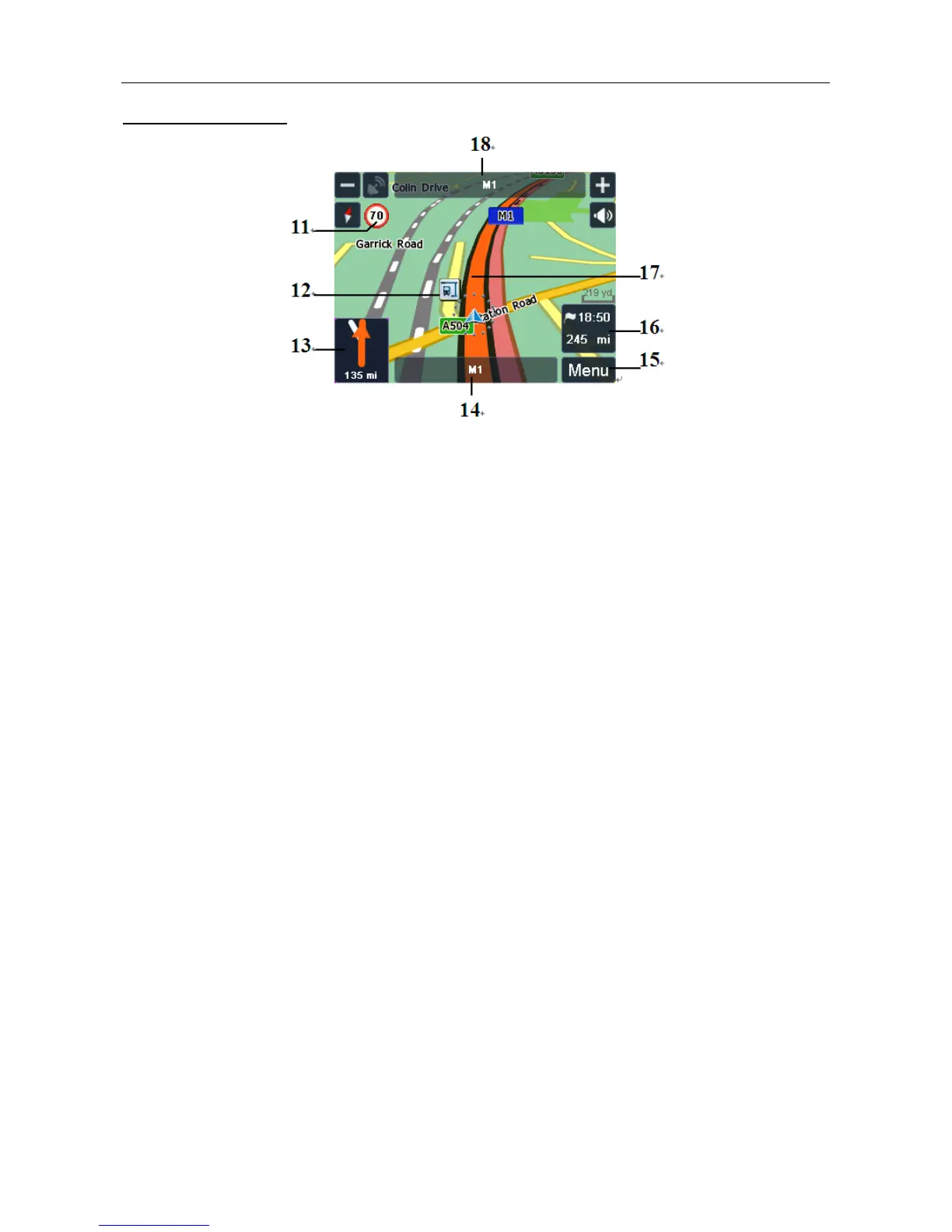
11 Speed limit– Shown when you exceed the speed limit of the current road, if
switched on via the settings (see page 29).
12 POI icon – Show the position of a point of interest.
13 Turn indicator – Shows a graphical representation of the next manoeuvre and the
distance to the manoeuvre. Tap to replay the voice instruction.
14 Current road – Shows the name of the road you are currently on.
15 Menu button – Tap to access the navigation options. (Only when in Route
Navigation)
16 Arrival time – Shows the estimated time you will arrive at your destination.
Distance – Shows the remaining distance to your destination.
17 Route – Indicates the planned route to be followed.
18 Next road – Shows the name of the road you will be using next.


 To Next Page