6
2.2 Display icons and symbols
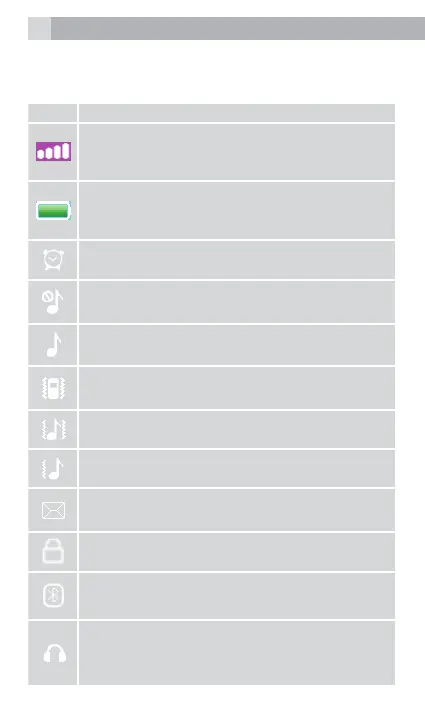
The standby screen shows the following information:
# Meaning
Radio link
On with signal strength when linked. with
mobile network.
Battery charge level
Internal segments cycle during battery
charging.
Alarm
On if alarm is set.
Ring and Vibrate off
Ringer and vibration is off.
Ring on
On if only the ringer is enabled.
Vibrate on
On if only vibration is enabled.
Vibrate and ring on
On if both are enabled.
Vibrate then ring
On if vibrate then ring is enabled.
New SMS
Indicates you have new text messages.
Lock
On when the keypad is locked.
Bluetooth
On when active the Bluetooth.
Earphone
On when earphone plugged in.
After Paired and connected to BT.



 To Next Page