- 21 -
Set up notifications
Check that bluetooth on your phone is on and that your phone
can receive notifications (often under Settings →Notifications).
Then set up notifications:
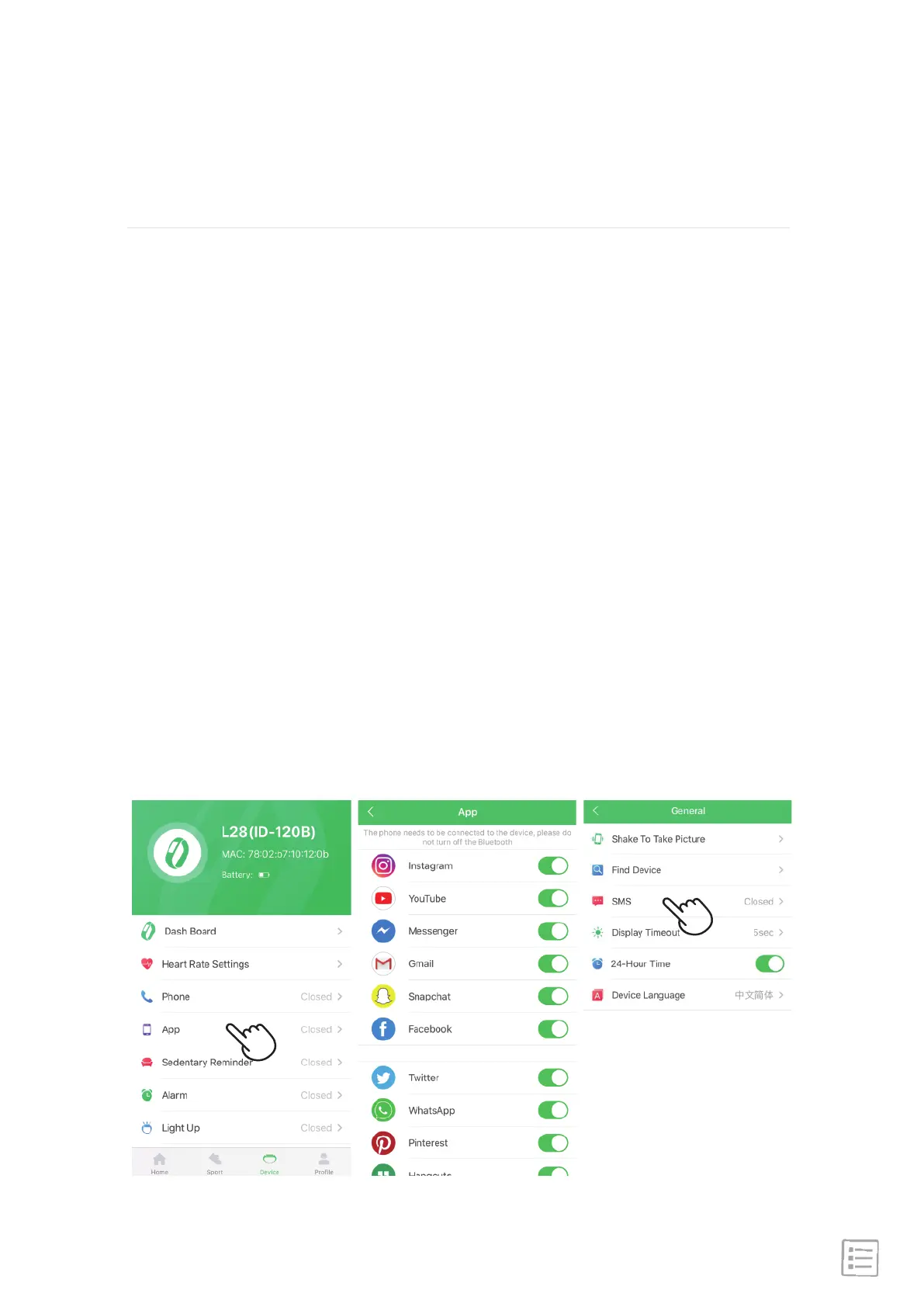
1. With your watch nearby, from the "GloryFit" app dashboard,
tap the "Device" icon → APP → light up the icon.
2. "Device" → More Settings → SMS → light up the icon.
Notifications
SW206 can display call, text and app notifications from
your phone to keep you informed. The phone and watch must
be connected with each other to receive notifications.


 To Next Page