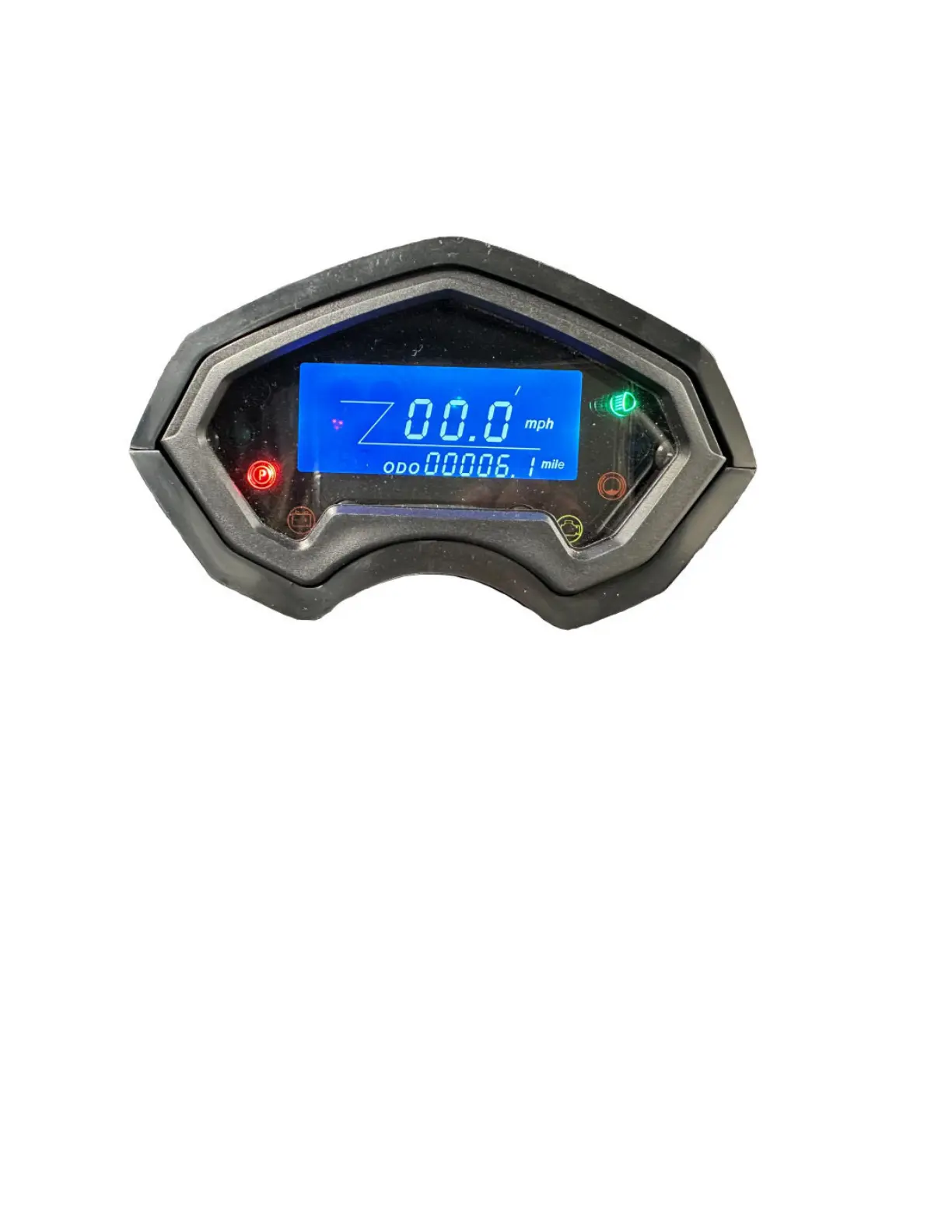
LCD Meter
Fig. 3
As shown in Fig. 3, it is used to display the status of the vehicle. All the below icons can be seen on the
LCD Meter.
● The low beam icon will light up when the vehicle is in the low beam mode.
● The high beam icon will light up when the vehicle is in the high beam mode.
● Arrows will blink if the left or the right turn signal is on.
● When the parking brake is on the “P” to the left side of the meter will light up.
● When the vehicle is in motion, the speed will be shown on the meter.
● When there is a malfunction in the vehicle, a fault code will be displayed on the meter.
○ Contact your local service center to have them diagnose the cause of the fault
code and stop using the vehicle.
● When the vehicle has low voltage, the battery fault light will be on indicating the batteries
need to be charged immediately.
● The number on the odometer is the current total mileage of the vehicle.



 To Next Page