Bio-Tek FL600
3-3
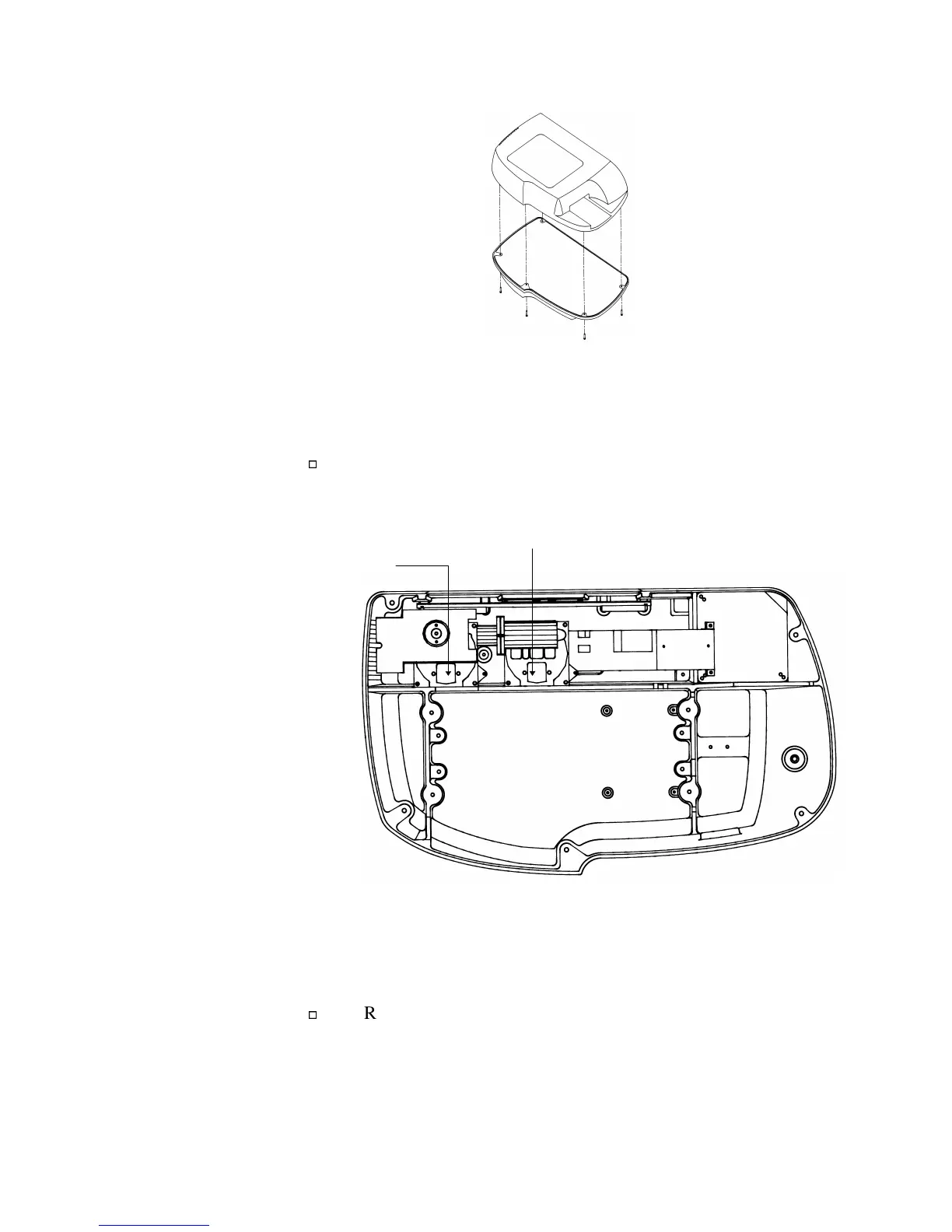
Figure 3-2: Removing the cover screws
Step 4:
Remove the covers on both filter wheels.
Locate the two filter assemblies at the rear of the reader,
adjacent to the printed circuit board (Figure 3-3).
Excitation Filter
Wheel Cover
Emission Filter
Wheel Cover
Figure 3-3: Filter wheel locations
Remove the filter wheel covers by pulling up on the heads
of the plastic snap catches. (Figure 3-4)


 To Next Page