4-2
Bio-Tek FL600
DLU ILOWHU
Figure 4-1
Step 2:
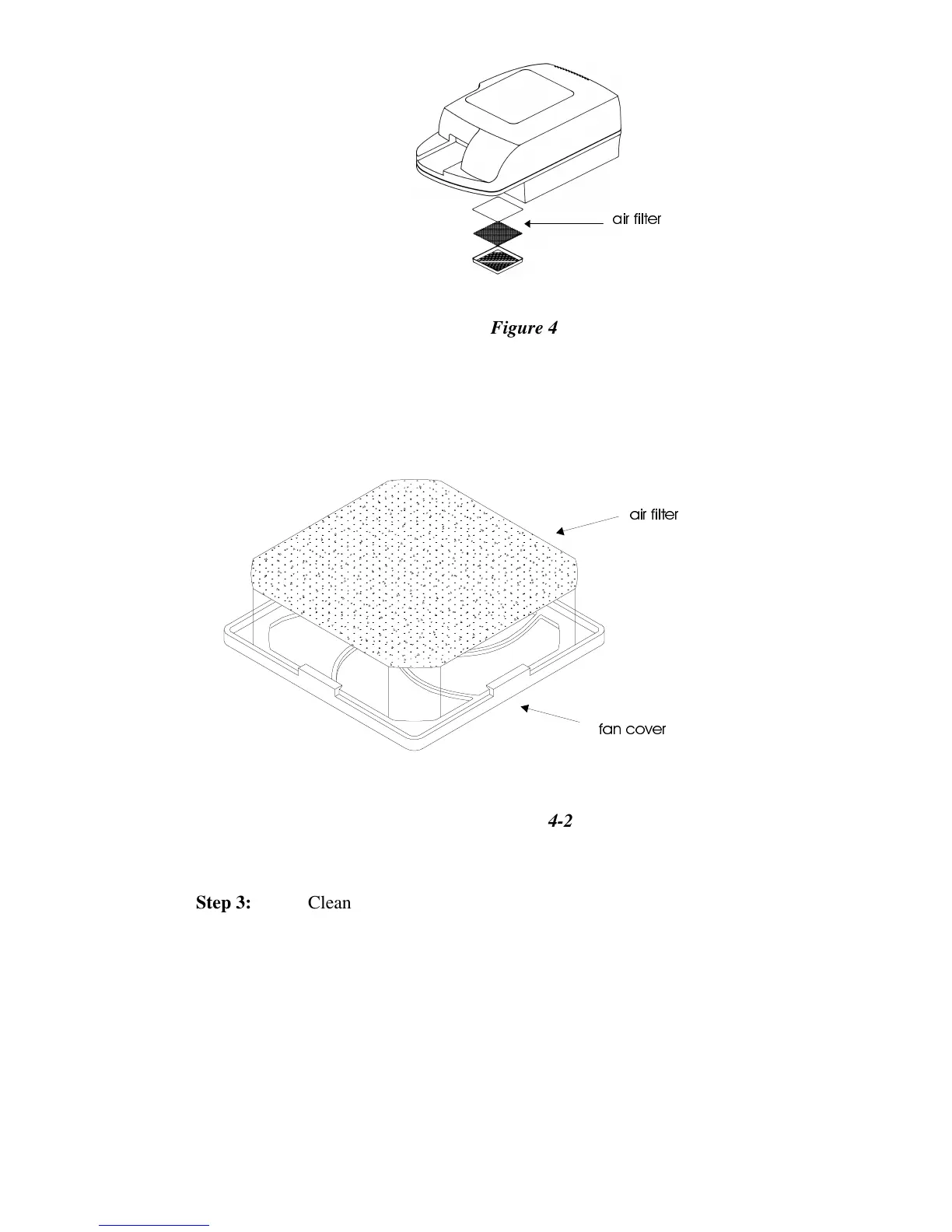
Remove the air filter, a thin, grey piece of material.
DLU ILOWH
IDQ FRYHU
Figure 4-2
Step 3:
Clean the filter by blowing the dust out with an air blower, and/or
rinsing by hand with sudsy water and then clean water. Be sure to
dry the filter thoroughly before reinserting it into the fan cover.
Step 4:
If the filter is damaged or difficult to clean, or if the fan cover is
damaged, replace the entire fan cover and filter with Bio-Tek P/N
49840.
Step 5:
Return the fan cover to its original position at the underside of the
reader, and snap it back into place.


 To Next Page
 Loading...