Bio-Tek FL600
4-3
Never use the FL600 without an air filter.
+RZWR5HSODFHWKH/DPS
NOTE: Full instructions for lamp replacement are provided with the lamp
replacement kit.
CAUTION! Never touch the surface of the lamp, as any residue could
hamper illumination. We recommend that you wear gloves when
touching a new lamp.
Step 1:
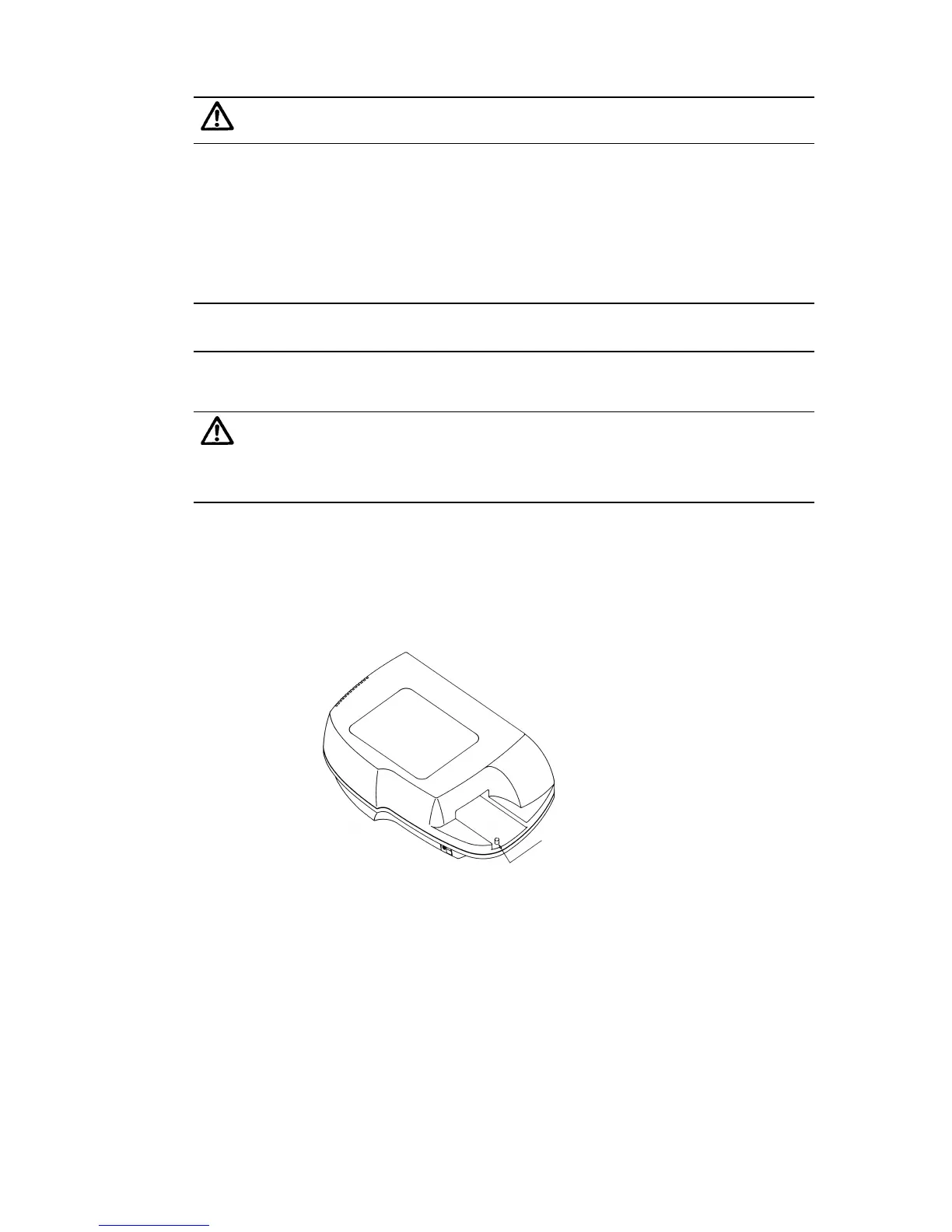
Make sure the plate transport mechanism is “parked.” To do so,
press the red button in the recess under the plate carrier, so that the
plate carrier moves inside the reader and stops.
park button
Figure 4-3
Step 2:
Shut off the FL600, and then unplug both the power and computer
cables from the rear of the device.


 To Next Page