Need help?
Do you have a question about the Biocare iM 12 and is the answer not in the manual?
Outlines essential safety guidelines for monitor usage, animal care, and accessory handling.
Details critical safety warnings and precautions for operating the monitor.
Covers animal number, interference, water exposure, accuracy, and alarm safety.
Explains safety symbols and other device identification icons used in the manual.
Introduces the monitor's applicability, scope, and monitoring functions.
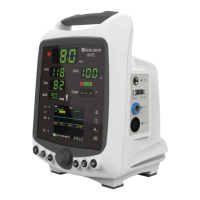
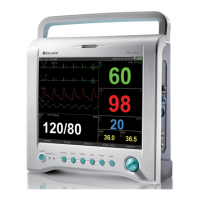
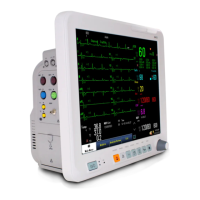
Details the physical components of the monitor's main unit.
Describes the monitor's screen layouts and interface elements.
Explains how to customize and use the shortcut keys for efficient operation.
Provides instructions for unpacking, checking contents, and inspecting for damage.
Details the steps for preparing the monitor before patient monitoring.
Outlines the basic steps for setting up and performing patient monitoring.
Provides the correct procedure for shutting down the veterinary monitor.
Guides users on how to access and configure screen settings.
Details how to set up hospital information, units, and other system configurations.
Guides on saving custom configurations for different animal types or settings.
Guides on how to admit a new animal for monitoring, including demographic data.
Covers functions for exporting and managing patient data.
Explains how to connect the monitor to a central monitoring network.
Details on setting interface type, brightness, and parameter/waveform regions.
Describes the default interface layout with parameters and waveforms on the left/right.
Explains the Minitrends interface, showing short trends alongside waveforms.
Explains how to monitor other connected beds on the network.
Provides detailed information on ECG monitoring principles, safety, and setup.
Details respiration monitoring methods, electrode placement, and setup options.
Covers SpO2 monitoring principles, safety, sensor usage, and setup.
Explains NIBP measurement, safety, procedures, and setup.
Details temperature monitoring, safety precautions, procedures, and setup.
Covers invasive blood pressure monitoring, safety, setup, and zero-calibration.
Explains CO2 monitoring principles, module types, safety, and setup.
Details anesthetic gas monitoring principles, module types, and setup.
Guides users on how to access and configure the alarm settings window.
Detailed configuration options for alarms, including pause time and modes.
Explains how to pause active alarms temporarily.
Details how to silence audible and visual alarms.
General guidelines for responding to monitor alarms.
Instructions on how to freeze the current waveforms on the screen.
Explains how to access and navigate the review window for stored data.
Viewing graphical representations of trends over time.
Viewing trend data in a tabular format.
Reviewing recorded events like alarms, manual marks, and parameter changes.
Viewing extended ECG waveform data, including magnified sections.
Guides on performing medication dosage calculations using specific formulas.
Explains how to perform, review, and output hemodynamic calculations.
Details on setting record mode, curve selection, and paper speed for recordings.
Procedures for starting, stopping, and automatic recording triggers.
Explains the defibrillation synchronization feature and its safety precautions.
How to enter and exit the monitor's standby mode.
Step-by-step instructions for installing or replacing the battery.
Procedures and recommended cleaning agents for the monitor's exterior.
Outlines periodic inspection requirements and what to do if damage is found.
General safety warnings regarding monitor repair and technician contact.
Accessing the User Maintain menu for system settings and configurations.
How to view system information like startup times, ID, and configuration details.
Pre-operational checks to ensure the monitor is safe and functional.
Troubleshooting steps for when the monitor fails to power on.
Troubleshooting steps for cases where the screen remains blank.
Steps to resolve issues when NIBP measurements are not obtained.
Troubleshooting steps for cases where SpO2 measurements are not obtained.
Troubleshooting for low EtCO2 measurement results, including calibration issues.
A comprehensive list of all included accessories for ECG, SpO2, NIBP, etc.
Details the safety classification, environmental, and power specifications.
Provides specifications for the display, recorder, and battery components.
Lists detailed specifications for various monitoring parameters like ECG, NIBP, and SpO2.
Lists physiological alarms, their triggering conditions, and recommended treatment measures.
Details technical alarms related to module connections and system errors.
Default settings for global alarm parameters and alarm configuration.
Default alarm limits for various parameters based on animal weight categories.
Default ECG setup parameters including filter, gain, and lead set.
Default NIBP setup parameters like initial pressure and measure mode.
Declaration regarding electromagnetic emissions from the monitor and its environment.
Declaration regarding electromagnetic immunity of the monitor and its environment.
Guidance on maintaining safe distances from RF equipment to avoid interference.
 General
| SpO2 | Yes |
|---|---|
| NIBP | Yes |
| RESP | Yes |
| TEMP | Yes |
| PR | Yes |
| Power Supply | AC 100-240V, 50/60Hz |
| Volume Range | 1-9999 mL |

 To Next Page