July 2010 Anthos 2010 Quick Start Guide Version 1.0
4. To measure a plate:
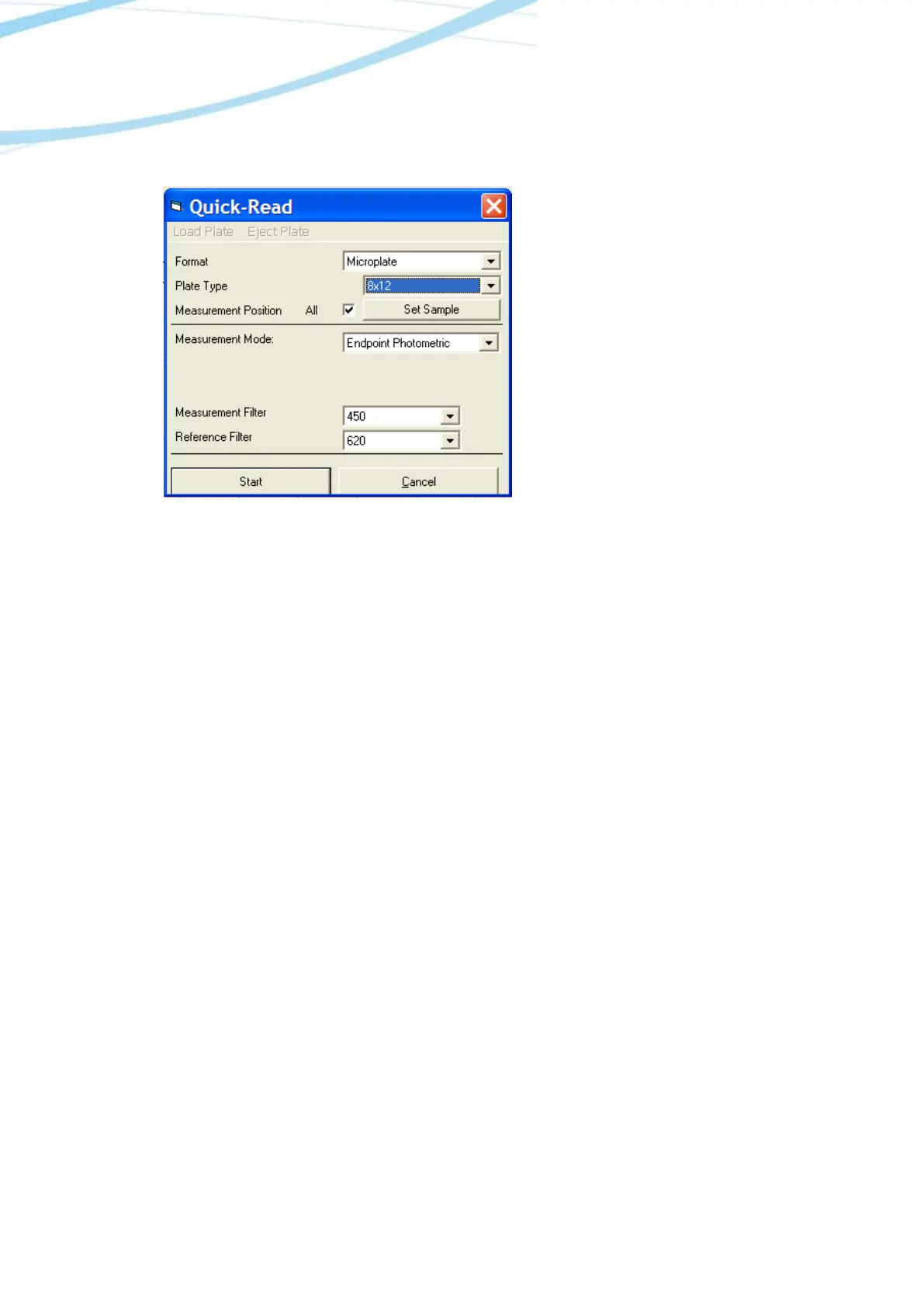
Go to Reading/Quick or the R button in the menu bar.
In the Quick-Read dialogue box: Confirm
that the correct format and plate type are
selected.
a. Select All in Measurement Position
to read the entire plate.
b. Select Endpoint Photometric for
basic readings using a measurement
and reference filter.
c. Select the measurement filter and
the reference filter from the drop-
down menu.
Note: It is important to use a reference filter to account for optical inference from the plate.
Place plate in the plate transporter. Select Start. Absorbance measurements will appear in the
open matrix in ADAP. When prompted, enter a plate ID. Data can be exported to data analysis
software using the Copy icon. Data will paste as a matrix with filter wavelength, with time and
date.



 To Previous Page