A
Charging your smartdot™ transmitter
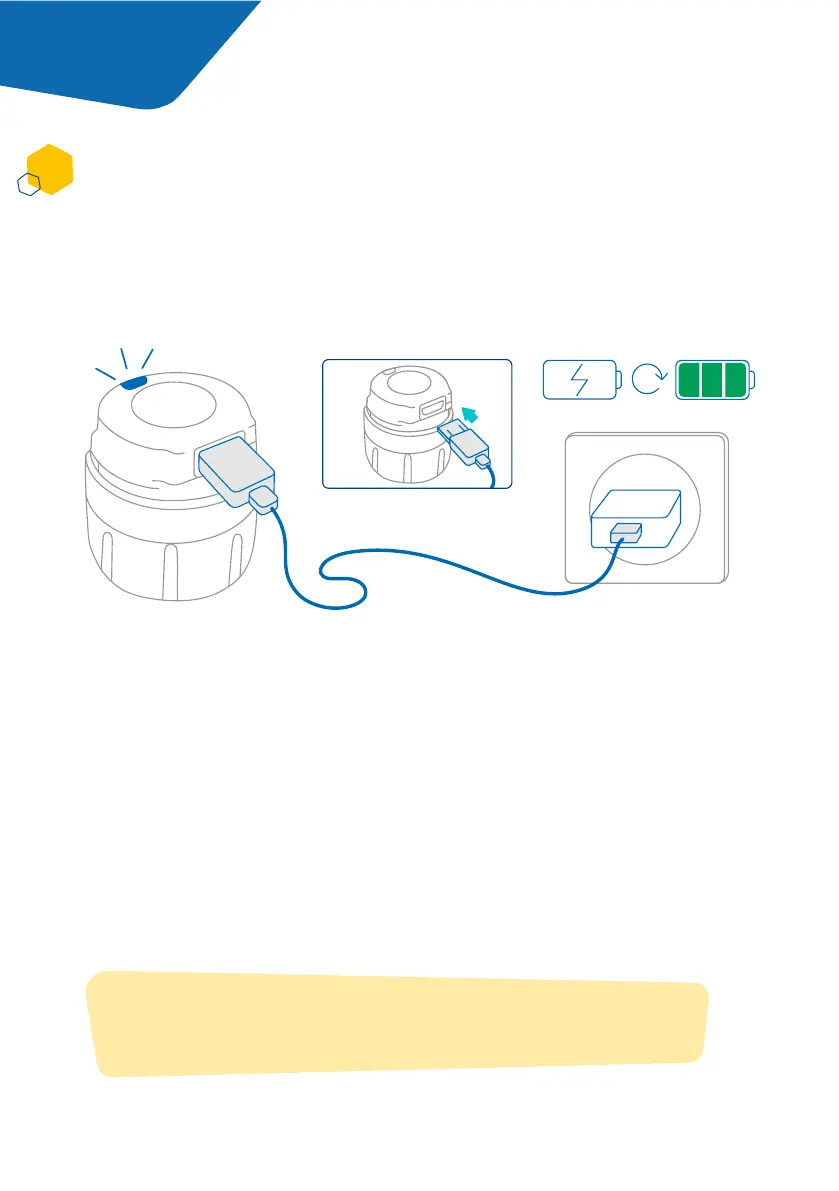
1. Connect smartdot™ to the supplied USB cable.
2. Connect the cable to a powered USB wall charger.
3. The transmitter will display a blinking blue light to indicate that it is
charging. A full charge can take up to 2 hours to complete.
4. When smartdot™ is fully charged, the blinking blue light will disappear, and
no light is shown.
5. Remove the charging cable. smartdot™ is now ready to be paired.
You must charge your transmitter before using it for the rst time. smartdot™
will automatically switch on when you plug in the USB cable.
After initial charging, your smartdot™ will need to be recharged approximately
every 2 weeks.
Do not use smartdot™ while it is charging.
2h
Note:
There will be no light signal until the pairing process has nished.
Part 5 Preparing
7



 To Next Page