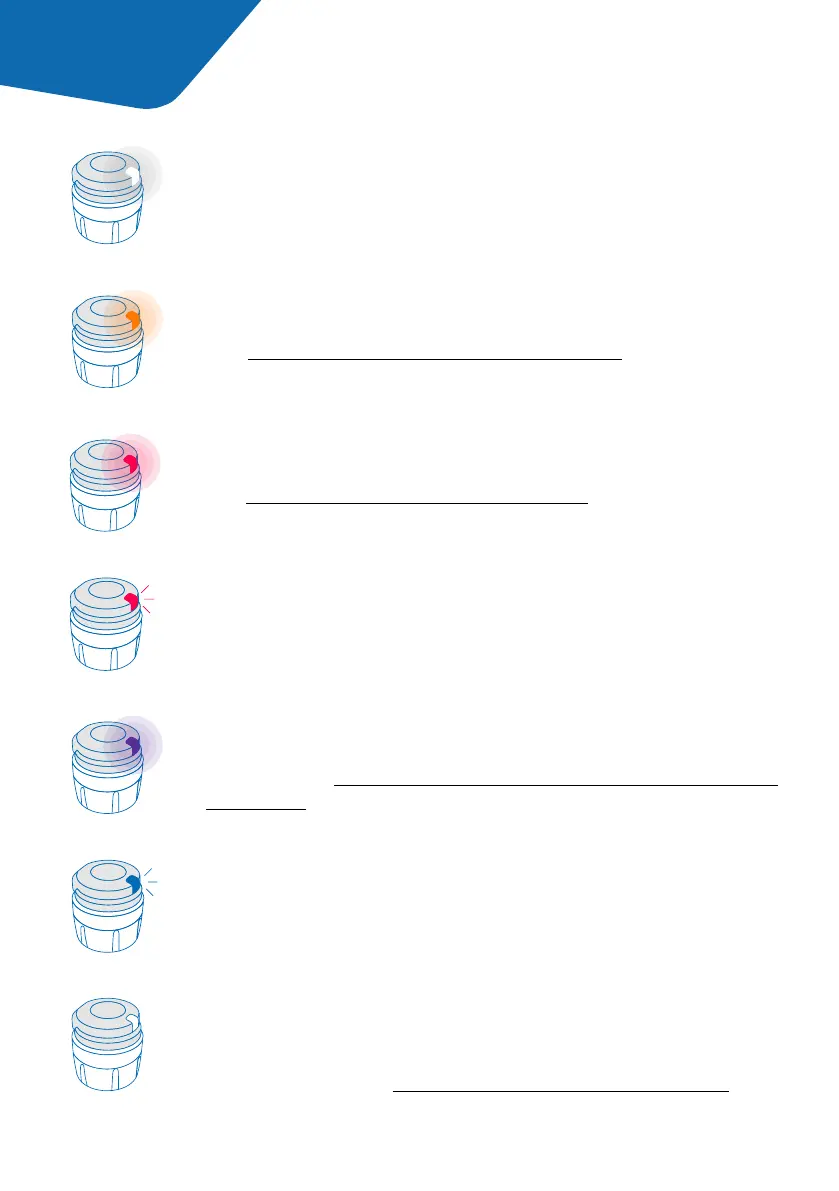
The blinking blue light shows that smartdot™ is charging.
Blinking blue
The red light means smartdot™ is defective.
See ‘Part 9: Troubleshooting guide <red light.’
Red
The blinking red light means that a reset is in progress.
Blinking red
No light is displayed when smartdot™ is sleeping, or the battery
is empty. You can check the status of smartdot™ by pressing the
injection button. See ‘Part 9: Troubleshooting guide <no light’ for
more details.
No signal
The white light shows that smartdot™ is ready to use.
White
The orange light appears when the battery is low.
See ‘Part 9: Troubleshooting guide <orange light.’
Orange
The purple light appears when activation or deactivation is in
progress.See ‘Part 5: Preparing >E. Activating your smartdot™
transmitter’.
Purple
Part 4 smartdot™ light signals
6



 To Next Page