Assembling the Atomlab 500, 500Plus, and Atomlab Wipe Test Counter
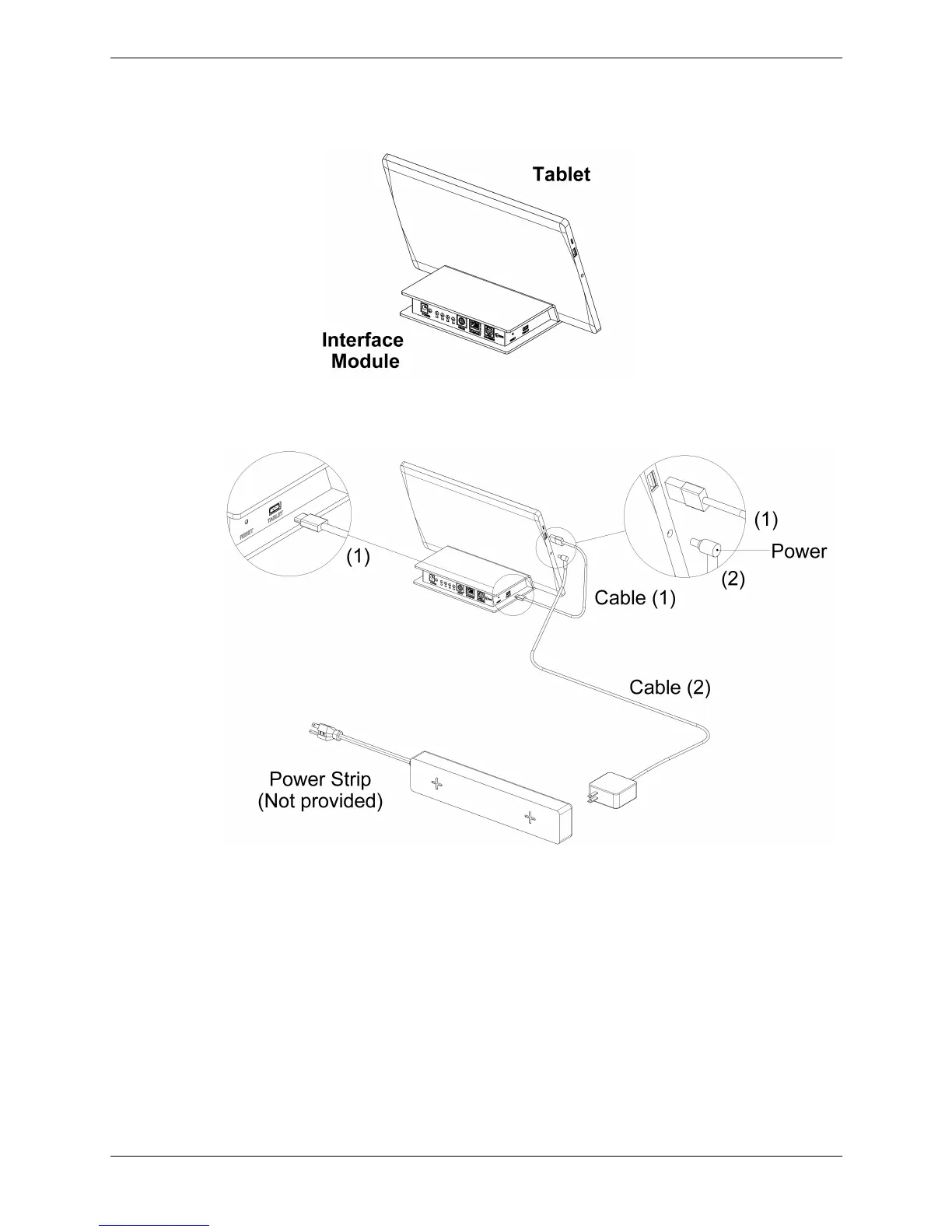
• Place the Tablet onto the Interface Module as illustrated in Figure 2.
Figure 2. Tablet When Placed on the Interface Module.
Figure 3. Tablet Connection to Interface Module and Power Strip
.
• Plug one end of the USB Cable 1 into the Tablet and the other end into the Interface Module.
• Plug the power connector of Cable 2 into the Tablet. Plug the other end into the power strip
making sure the power strip has not been plugged into an electrical connection.
To ensure the appropriate steps are followed, please advance to the correct pages.
• If you purchased an Atomlab 500, continue to the next page.
• If you purchased an Atomlab 500Plus, advance to page 9.
• If you purchased a Wipe Test Counter, advance to page 13.



 To Next Page