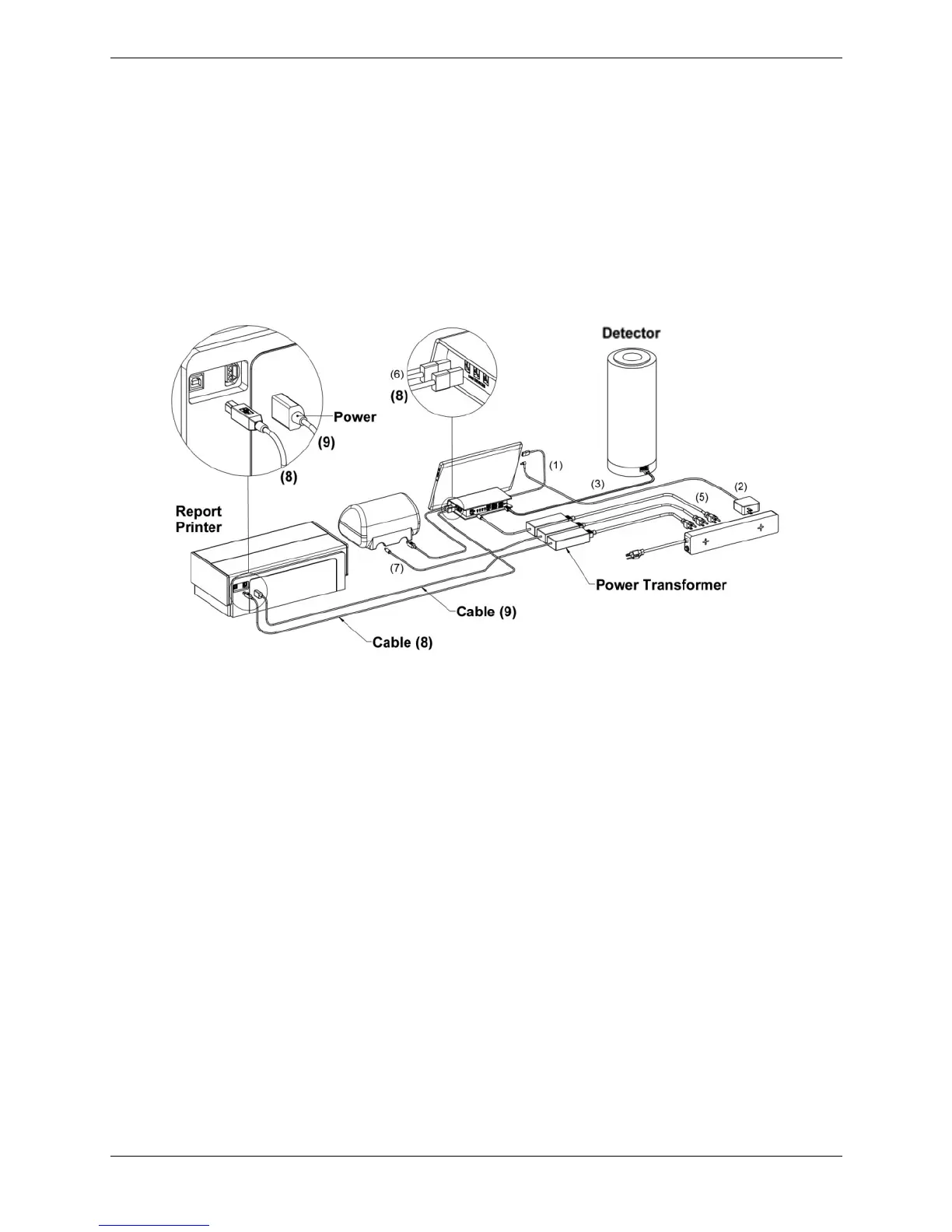
Connecting an Optional Report Printer:
• Place the USB end of Cable 8 into the Interface Module as illustrated in the circular inset
at the top right of Figure 6 and the other end into the Report Printer as illustrated in the
circular inset at the top left of Figure 6.
• Connect the two sections of Cable 9 by plugging the cable into the power transformer.
Place the power connector end of Cable 9 into the Report Printer as illustrated in the
circular inset at the top left of Figure 6 and the other end into the power strip.
Figure 6. Atomlab 500 – Connection to a Report Printer
• Proceed to Page 15.



 To Next Page