4
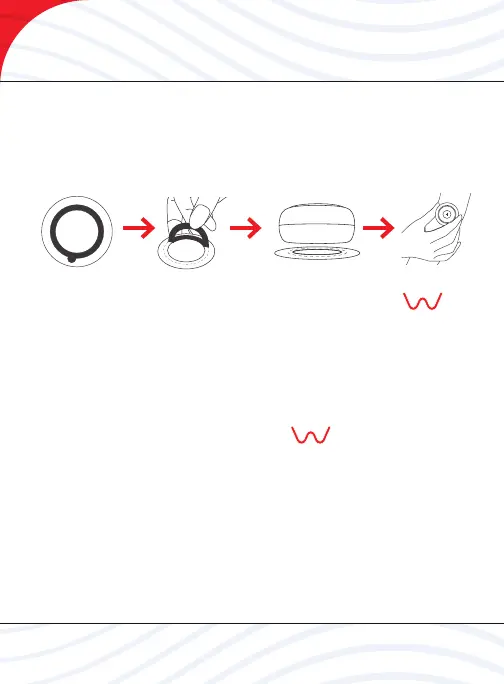
Step 1 Peel o one side of the adhesive patch and press and hold to the
back of the device until securely attached as shown below.
Step 2 Position the device over the area to be treated and rmly adhere
to the skin as shown below.
Step 3 Turn the device on by pressing and holding the WAVE
logo for more than three (3) seconds. The touch screen will display the
battery level rst. When the battery is fully charged, all six levels will be
displayed. After two seconds, the mode will also be displayed.
Step 4 Choose the most suitable mode (1-5) and as referenced on page 5.
Step 5 The device stops automatically after 20 minutes. To turn o the
device manually, press and hold the WAVE logo for three (3)
seconds.
Step 6 Gently remove the device from your skin and peel o the
adhesive patch from the device itself.
For more information on using your BIOFLEX WAVE NANO device, visit
bioexwave.com
How To Use



 To Next Page