12 |
| 13
2 2
Run Run
1. As fire builds, add larger dry fuel. At this point, you can push Power
Button to HI. (This sets fan to HI to increase oxygen flow.)
2. Use Power Button to toggle between LO and HI to optimize fire.
The fan indicator light will glow green when set to HI, and orange
when set to LO. While the fan has the ability to greatly increase fire
efficiency, the high setting can blow out a weak flame. When starting
the fire or restarting the fire from embers, use the LO fan setting. As
the fire grows to a roar, use the HI fan setting. To cool down fire to
simmer, use the LO fan setting.
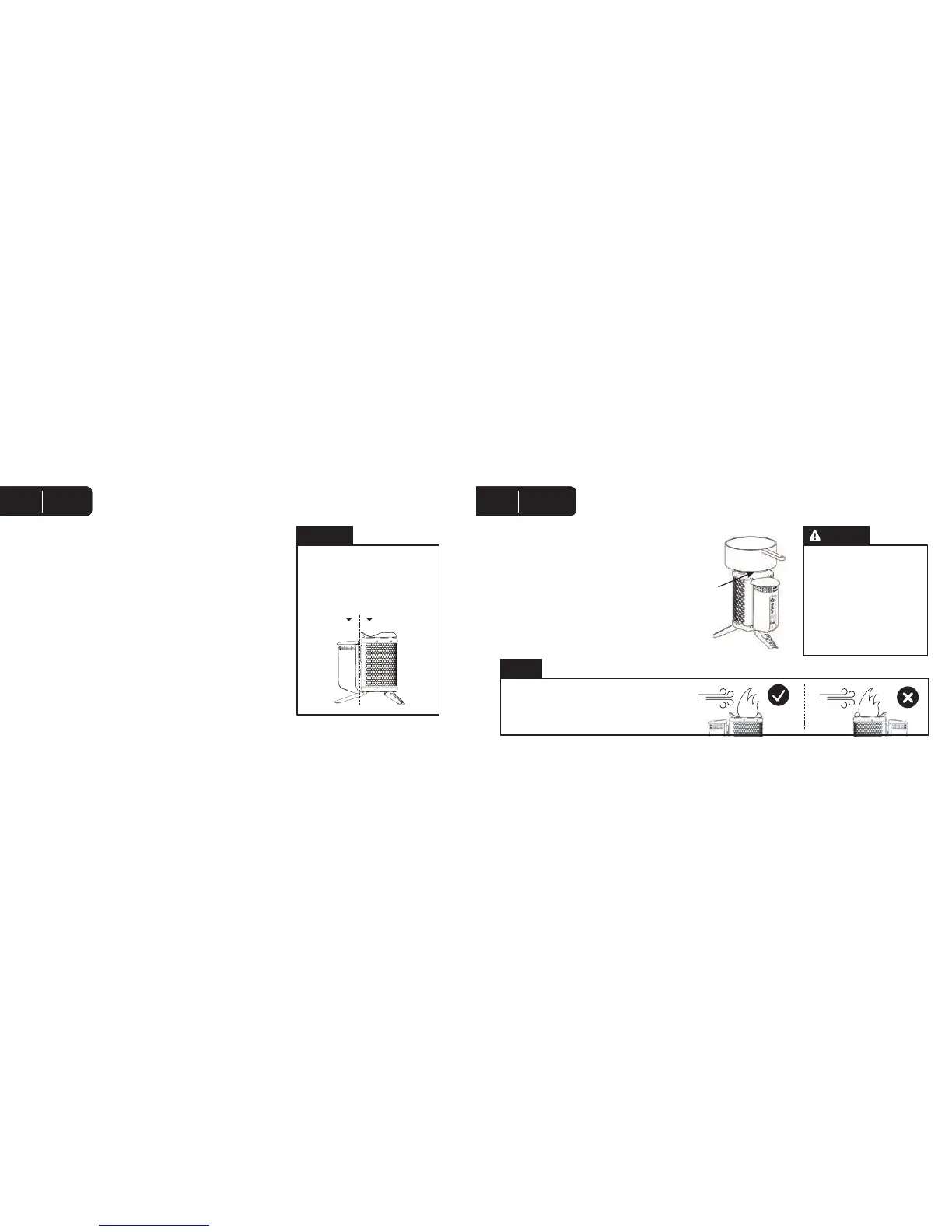
3. At peak operation, the stove can be packed to the top with fuel. Do
not pack beyond air jets at top of Fuel Chamber.
1. Place pot directly onto stove Pot Stand. The pot should
be placed so the pot handle is aligned with a Pot Stand
support so flames don’t heat the handle.
2. During cooking, remove pot carefully and add dry fuel
as needed.
3. To simmer, let fire burn down. Push Power Button to
return fan to LO.
Metal surfaces will be hot. While
stove is hot or running, only touch
plastic parts.
CAUTION
touch here don’t touch here
Exercise extreme caution when
moving pot or adding fuel as pot
and its contents are hot.
As the pot is placed on the stove,
flames may bend around the pot
and present a burn hazard.
To avoid damage to the Power Module, ensure
that it is never downwind of the flame.
NOTE
WARNING
2 3
Run Cook
English English


 To Next Page