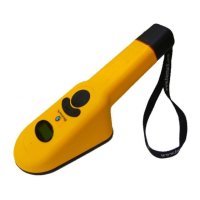
Turns Reader ON from OFF state
Activates transponder reading from ON state
Selects certain option alternatives in Options Menu
Activates Options Menu / Selects Options Menu
Category
(Press both buttons simultaneously to turn off unit)
Displays transponder ID Code information, Reader
status, and Options Menu selections
Lights when valid transponder ID Codes are
detected (optionally lights with Options Menu
selections)
Reader surface planar with scanning coil.
Transponder coil axis should be perpendicular to
Reader scan face for maximum reading distance
Ambidextrous gripping surface
User removable component for accessing battery
compartment
Used to attach wrist strap, belt hook, etc.
Connects Reader to PC and battery charger (not
shown)
Accepts 4 AA alkaline or 4 AA rechargeable
batteries (not shown)
Data/Power Cable End-cap connectors interface
(not shown)
Provides model, serial number, and agency
certification notices


 To Next Page