EasyManua.ls Logo

Bionaire BAP1700 - User Manual

Bionaire BAP1700
35 pages
Print Icon
To Next Page IconTo Next Page
Loading...
English 2
Français/French 6
Deutsch/German 10
Español/Spanish 15
Nederlands/Dutch 19
Svenska/Swedish 23
Suomi/Finnish 26
Dansk/Danish 30
Norsk/Norwegian 34
Polski/Polish 38
EKKHNIKA/Greek 43
PYCCKNÑ/Russian 47
Italiano/Italian 52
Magyar/Hungarian 56
"esky/Czech 60
Português/Portugese 64
Holmes Products (Europe) Ltd
1 Francis Grove
London SW19 4DT
England
Fax: +44 (0)20 8947 8272
Email: enquiriesEurope@jardencs.com
Website address: www.bionaire.com
UK - Free phone Customer Service Helpline – 0800 052 3615
Holmes Products France
1015, Rue du Maréchal Juin
Z.I Vaux - Le - Pénil
77000 Melun – France
Phone: +33 1 64 10 45 80
Fax: +33 1 64 10 02 32
FRANCE - SERVICE CONSOMMATEURS
0 825 85 85 82
BAP1700I09MLM2
132513/9100040003935
© 2009 Sunbeam Products, Inc. doing business as Jarden Consumer Solutions. All rights reserved.
Distributed by Holmes Products (Europe) Ltd., 1 Francis Grove, London SW19 4DT, United Kingdom. Printed in PRC
© 2009 Sunbeam Products, Inc. faisant affaires sous le nom de Jarden Consumer Solutions. Tous droits réservés.
Importé et distribué par Holmes Products (Europe) Ltd., 1 Francis Grove, London SW19 4DT, United Kingdom.
Imprimé en RPC
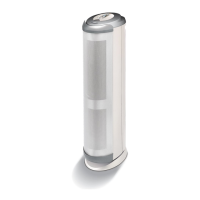
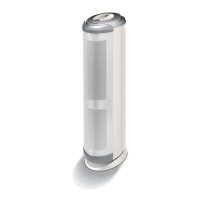
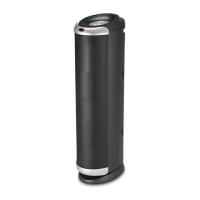
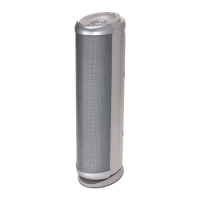
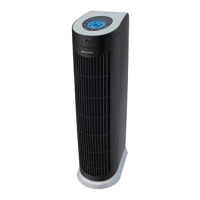
TOWER
AIR PURIFIER
MODEL: BAP1700
pure indoor living
INSTRUCTION MANUAL
MANUEL D’UTILISATION
BENUTZERHANDBUCH
MANUAL DE INSTRUCCIONES
GEBRUIKSAANWIJZING
BRUKSANVISNING
KÄYTTÄJÄN OHJEKIRJA
BRUGERVEJLEDNING
BRUKER MANUAL
BRUGSANVISNING
INSTRUKCJA OBSLUGI
ECVEIIDIO ODGCIXM VQGRGR
PYKOBOДCTBO
MANUALE DI ISTRUZIONI
HASZNÁLATI UTASÍTÁS
NÁVOD K OBSLUZE
Belgium: +32 38 70 86 86
Czech Republic: +420 48 513 03 03
Finland: +358 98 70 870
Germany: +49 89 5480 195-0
Hungary: +36 1 37 17 970
Latvia: +371 7514081
Lithuania: +370 (52) 772388
Netherlands: +31 793 41 77 71
Poland: +48 22 847 8968
Russia: +7 095 334 82 21
Slovakia: +421 41 723 47 09
Spain: +34 902 051 045

BAP1700-I_09MLM2.qxd:BAP1700-I_09MLM1.qxd 5/20/09 4:05 PM Page 1

Other manuals for Bionaire BAP1700

Questions and Answers

  • S
    Samantha HowellAug 12, 2025
    What to do if the filter appears dirty, even after vacuuming in Bionaire BAP1700 Air Cleaner?
    • M
      melendezmichaelAug 12, 2025
      It's normal for the filter to appear dirty even after vacuuming, and it does not affect the Bionaire Air Cleaner's performance. Replacing the filter is not necessary in this case.
  • P
    Patrick MaloneAug 16, 2025
    What to do if the filter of my Bionaire BAP1700 Air Cleaner appears dirty after cleaning?
    • K
      Kristin PierceAug 16, 2025
      If the filter of your Bionaire Air Cleaner appears dirty even after vacuuming, this is normal and does not affect performance. Replacing the filter is unnecessary.
  • J
    Joseph AdamsAug 20, 2025
    How to troubleshoot Bionaire Air Cleaner that will not operate?
    • M
      Margaret WardAug 20, 2025
      If your Bionaire Air Cleaner isn't turning on, first ensure that it's properly plugged into a working outlet and that the outlet is switched on. Also, verify that the unit itself is turned ON.
  • S
    Sheila EllisAug 25, 2025
    What to do if I notice decreased air flow in my Bionaire BAP1700 Air Cleaner?
    • P
      Paul CoxAug 25, 2025
      If you notice decreased air flow in your Bionaire Air Cleaner, start by checking that nothing is obstructing the air inlet and filtered air outlets. Remove any plastic bags from the filters. Inspect the filters and clean them if they appear dirty. Ensure the air intake grill has at least 30 to 90 cm of clearance from the wall. If the unit is in AUTO mode, it automatically adjusts the fan speed based on air particulate concentration.
  • K
    Kimberly Harris MDAug 27, 2025
    What to do if my Bionaire BAP1700 Air Cleaner has decreased air flow?
    • H
      Henry HarrisAug 27, 2025
      If your Bionaire Air Cleaner's air flow is reduced, ensure nothing obstructs the air inlet and filtered air outlets. Remove all plastic bags from the filters. Inspect the filters and clean them if needed. Position the air intake grill at least 30 to 90 cm away from the wall. Note that in AUTO mode, the fan speed adjusts automatically based on air particulate concentration, so some variation in air flow is normal.
  • T
    Tim MitchellAug 30, 2025
    Why my Bionaire BAP1700 won't turn on?
    • K
      Kimberly ThompsonAug 31, 2025
      If your Bionaire Air Cleaner won't operate, ensure it's properly plugged in and the outlet is switched on. Also, verify that the unit is turned ON.
  • J
    Joseph FloresSep 4, 2025
    Why is my Bionaire BAP1700 Air Cleaner making excessive noise?
    • J
      Jessica MorrisSep 4, 2025
      If your Bionaire Air Cleaner is making excessive noise, first, make sure to remove any plastic bags from the filter(s). Then, check that all parts are firmly positioned in place.
  • C
    Chase RodriguezSep 7, 2025
    How to reduce excessive noise from Bionaire BAP1700 Air Cleaner?
    • W
      William MillerSep 7, 2025
      To reduce excessive noise from your Bionaire Air Cleaner: * Remove any plastic bags from the filter(s). * Ensure all parts are firmly positioned in place.

Summary

Safety Precautions and Operation

General Safety Instructions

Essential safety warnings and guidelines to prevent hazards like fire or shock during appliance use.

Ioniser Safety and Notes

Information on ioniser operation, potential sounds, dust attraction, and ozone precautions.

Pre-Operating Instructions

Steps to prepare the air purifier before initial use, including unpacking and placement.

Operating Instructions

Guidance on how to turn on, select fan speed, and use the auto mode of the air purifier.

Maintenance and Troubleshooting

Cleaning and Filter Maintenance

Instructions for cleaning HEPA-type filters and resetting the filter indicator light.

Troubleshooting Guide

Common issues like unit not operating or excessive noise with their respective solutions.

Product Guarantee

Details of the 2-year guarantee, terms, and conditions for claims.

Bionaire BAP1700 Specifications

General IconGeneral
Product colorBlack
Dimensions (WxDxH)283 x 209 x 752 mm
Number of speeds3
Weight and Dimensions IconWeight and Dimensions
Weight6621 g
Dimensions (W x D x H) (imperial)11.16 x 8.22 x 29.62 \

Related product manuals