3
INTRODUCTION
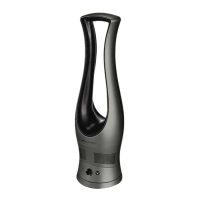
CongratulationsonthepurchaseofyourBionaire™
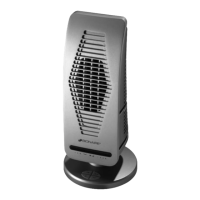
bladelessfan.Thisfanfeaturesinnovativebladeless
technologytodeliversmoothairflowandavariable
speeddialforcoolingcomfortandcontrol.
OPERATING
INSTRUCTIONS
1.Setfanonadry,levelsurface.
2.Connect the power adapter to the power jack
locatedontherearbaseofthefan.
3.Plugpoweradapterintotheappropriateoutlet.
4.To turn the fan on, turn the variable speed dial
clockwiseuntilthedialclicks.Thepowerlightwill
glowblue.
5.Toadjustthespeed,continuetoturnthevariable
speed dial in the clockwise direction to increase
the speed as desired. The speed level may be
loweredbyturningthedialcounterclockwise.
6.To turn the fan off, simply turn the dial
counterclockwise until it clicks and the power light
shutsoff.
OSCILLATION FUNCTION
7.If you would like the fan to oscillate, push the
oscillation button located to the right of the speed
dial.Tostoposcillation,pushthebuttonagain.
SLEEP TIMER
8.Your bladeless fan is equipped with a one-hour
sleep timer. To activate, push the sleep timer
button located to the left of the speed dial. The
power light will blink blue while the sleep timer
functionisinuse.Whentimeisup,thepowerlight
willglowred.Ifyouwishtoresumeoperationafter
the timer has run out, push the sleep timer button
again.Toshutoffthepowerlightafterthetimerhas
run out, turn the speed dial counterclockwise until
thedialclicksandthelightshutsoff.
CLEANING AND
MAINTENANCE
Follow these instructions to correctly and safely care
foryourfan.
•Alwaysunplugthefanbeforecleaning.
•Besuretocleanyourfanwithasoftclothmoistened
withamildsoapsolution.
•Donotallowwatertodriponorenterintothefanmotor
housing.
•Donotusegasoline,thinner,orbenzeneasacleaner.
•Lightlyrun avacuum cleaner nozzle over the fan
vents to remove any dust or dirt that may have
accumulated.
•Cleanthefanwithasoft,dampcloth.Donotallow
the motor or other electrical components to be
exposedtowater.
FAN STORAGE
Whenstoringyourfan please use theoriginalbox.
Itisimportanttokeepitinasafe,drylocation.
•Storeyourfanintheoriginalboxoranappropriately
sizedbox.
•Protectthefanventsfromdust.
•Storeyourfaninadrylocation.


 To Next Page