Clinician’s Reference Card
Component Pairing
612-00851-001 Rev. D
IMPORTANT: Pair system components before pairing to Clinician Application
1
2
L300 Go
®
, Bioness, the Bioness Logo
®
and LiveOn
®
are trademarks of Bioness Inc. | www.bioness.com
1
60sec
Fitting the L300 Go System
Attach the personal panel.
Slide the personal strap cover over the Cuff strap.
Wipe the stimulation area with a damp, soft cloth. Then, slightly extend the lower leg.
Once the electrode(s) are attached to the L300 FS Cuff, place the cuff on the leg using the cuff
patella locator, secure strap, adjust tension.
Program stimulation settings to achieve desired response.
1
2
3
4
5
1 4 52 3
Pairing System to Clinician Application
Log into L300 Go Clinician Application
Select to access the linking screen. Place System
into Pairing Mode by simultaneously pressing plus and
minus button on EPG. Select Link icon above
desired leg. Once paired, exit linking screen by clicking
on
Select a patient i.e. Work with Existing patient, Create
New or Choose from List.
If selecting from the Patient List, press the
Upload icon or double click the chosen name.
1
2
3
1
3
2
Thigh FS Cuff with Lower FS Cuff.
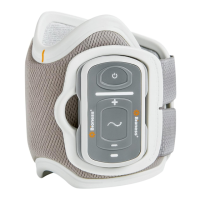
EPG Pairing Mode Activation: Simultaneously press
on the Plus and Minus button on each EPG. EPG status
indicator light will flash Green, Yellow, Red.
If needed, pair the Foot Sensor to the Lower FS Cuff EPG.
Foot Sensor Pairing Mode Activation: Pair the Foot
Sensor to a new EPG by placing a battery (CR2032) into
the Foot Sensor and pressing on the pressure sensor,
green light will blink to confirm pairing mode activation.
Place the lower EPG in pairing mode.
2

 Need help?
 General

 To Next Page