RL39 - Repair instructions for changing the frame
Version 1.0, last revised 03/2016
57/58
BBB. Updating the drive system
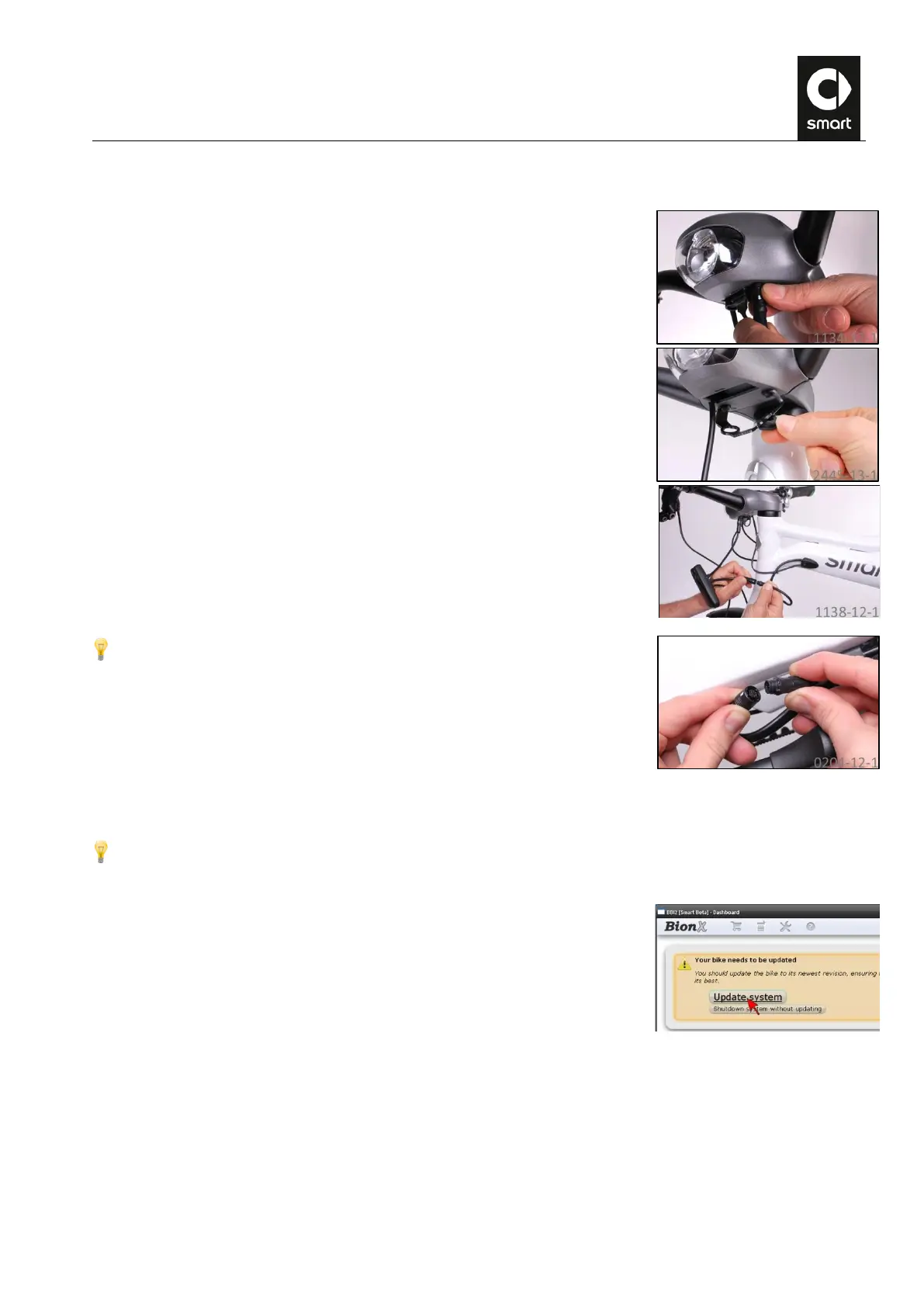
Carefully unplug the data cable from the jack underneath the stem assembly.
Connect the BIB to the data cable and to the jack underneath the stem assembly.
Plug the USB connector into the computer.
Alternatively, the BIB can be inserted onto the bus system at the left rear stay.
To do this, separate the data cable connection to the motor.
Launch the BBI software on the computer and switch on the system at the
control console.
The BBI software automatically suggests an update of the drive system as soon as a new version is available.
If the version installed in the ebike is up to date, you will see the message “Your system is OK. You may now shut
the system down and disconnect it.” The drive system is up to date and the ebike can be switched off.
Click on “Update system”.
Take care not to touch any of the connecting cables during the update process as this could accidentally interrupt
the data connection. Click on “Yes, proceed with the update” to continue with the update.



 To Next Page