1. Standing on the side of the scooter, locate the freewheel lever
at the rear, right hand side of the scooter, just below the right
directional (see image).
2. Pull up on the lever to move it to its ‘Open’ position – the drive
and braking system are now disabled.
3. Standing at the side of the scooter, push the scooter into the
desired position.
4. When the user has finished moving the scooter, standing to the
side of the scooter, push the lever in a downward position to
‘Closed’, taking the scooter out of the freewheeled mode.
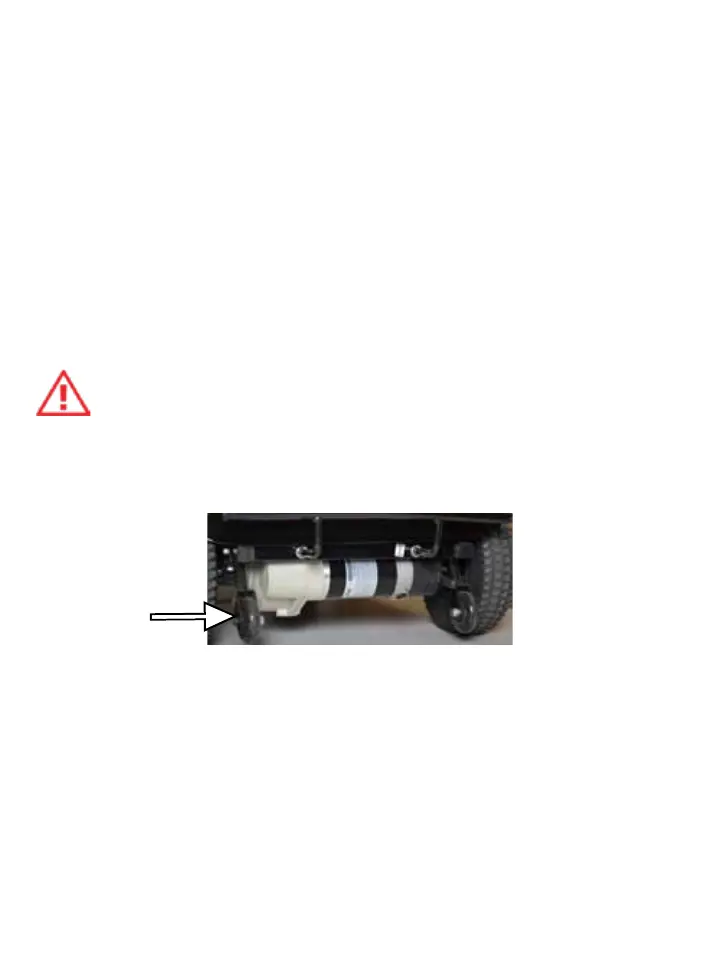
Anti-Tip Wheels
The anti-tip wheels are located at the rear of the scooter, they
are an important safety feature of the scooter.
PROHIBITED – never remove or modify the anti-tip wheels, removal
of the wheels or modification to the frame will result in voiding of
the BIOS Scooter warranty.
Battery
Battery Charging
To ensure the best performance and maximum battery life, we
recommend frequent battery charging. Your scooter comes with
an external battery charger for your ease and convenience. The
console battery display makes charging simple and easy.
28
Free-wheel
lever


 To Next Page