USER MANUAL
13
BirdOne
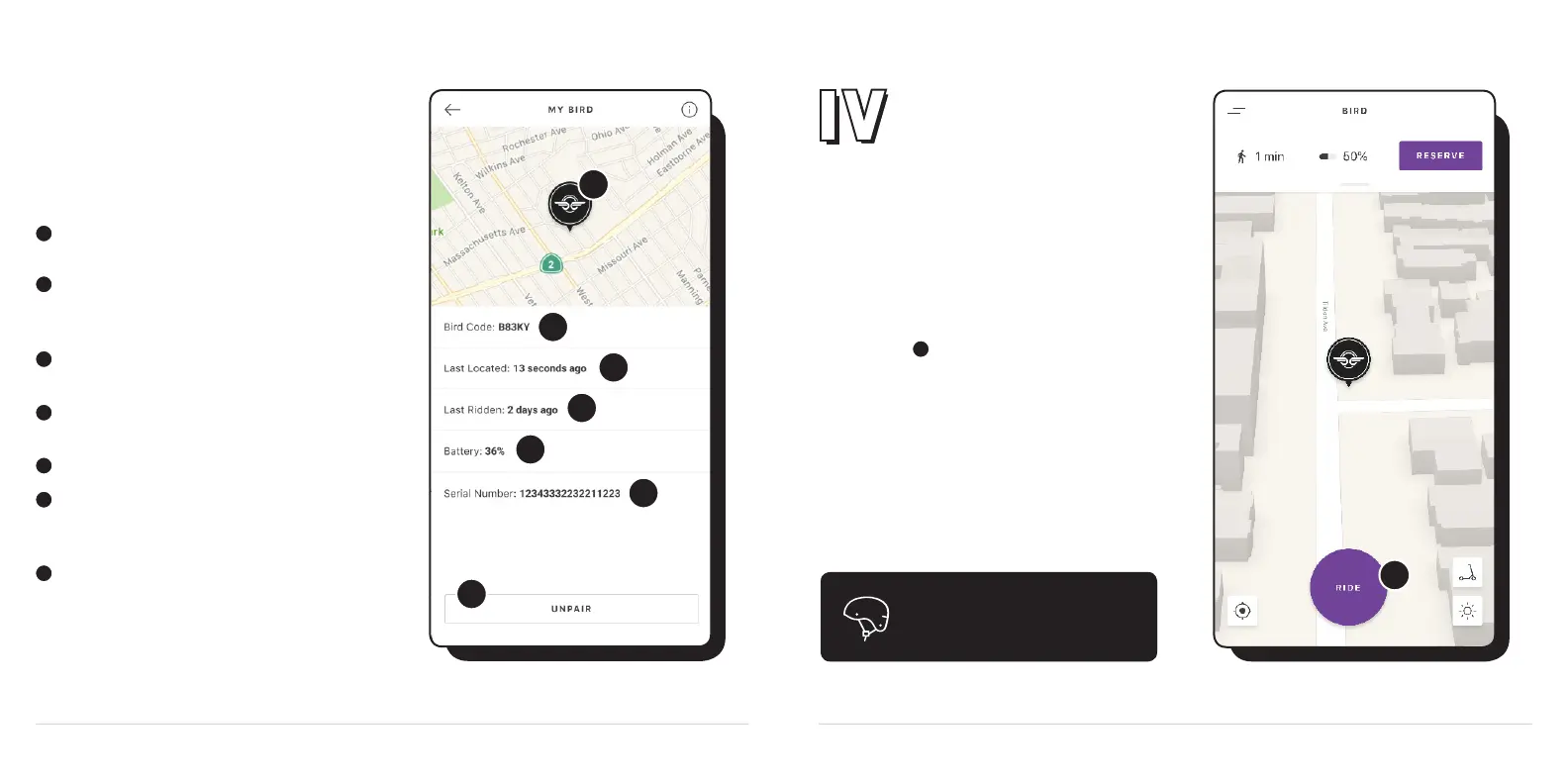
USING MY BIRD
After your Bird has been paired, open up the
App Menu in the top left of the screen and select
My Bird from the menu. My Bird helps you access
and manage the features of your Bird.
1
2
3
4
5
6
7
1
2
3
4
5
6
7
Black Pin: This is your Bird. The pin shows the
approximate GPS location of your Bird.
Bird Code: The unique ve-character code
assigned to all Birds. It can also be found beneath
the QR code on your Bird.
Last Located: The amount of time that has passed
since you last located your Bird via the in-app GPS.
Last Ridden: The amount of time that has passed
since you last used your Bird via the Ride button.
Battery: Your Bird’s current battery charge.
Serial Number: A unique set of numbers assigned
to every Bird. Yours can also be found on the
sticker near the bottom of the Bird.
Unpair Button: Use this to transfer ownership to
another account.
Let’s ride
Once your Bird One is fully charged, you can
unplug it and start your rst ride with the app.
Just tap Ride and scan your Bird’s QR code
to unlock the wheels. Your Bird will chirp if you
move it while locked.
Remember, Bluetooth and Wi- must be
enabled to lock and unlock your Bird.
1
1
For your safety, always wear a
helmet while riding.



 To Next Page