Network configuration reset
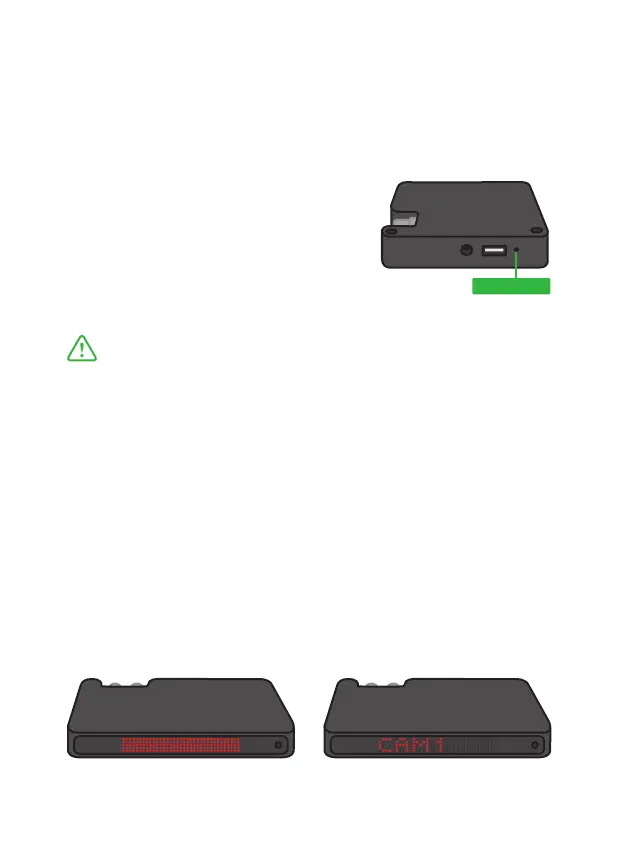
Once activated, the Network reset function will flash the LED
screen repeatedly between Red and Green, afterwards it will report
“STARTUP”.
Once complete (approximately 10 seconds) the unit will once again
report “CAM1” indicating that BirdDog is functioning and can see
a network connection.
Network configuration reset will return the BirdDog device name to
default (birddog-xxxxx) and reset the network settings to DHCP.
From time to time it may be necessary to reset the network settings
on your BirdDog unit. If your unit was configured with a static IP
address and is now on a different network for example.
To activate the reset function simply
insert a paper clip and depress
the Reset switch for 6 seconds.
It is important that the BirdDog is powered up and
operating at this time (either reporting “CAM1”, full
screen RED or full screen GREEN).
Reset Switch



 To Next Page