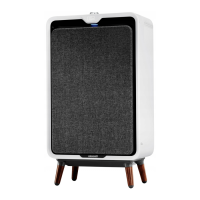
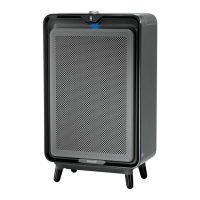
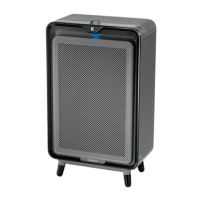
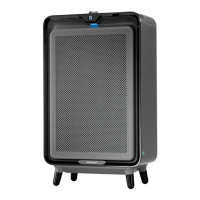
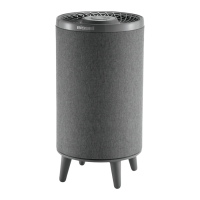
The BISSELL air320MAX (Series 2847) is an air purifier designed to improve indoor air quality by filtering out microscopic particles such as dust, pollen, and smoke. It features a sophisticated CirQulate® System that automatically adjusts filtration based on real-time air quality readings, providing both numerical and colored indications of your home's air quality.
Function Description:
The primary function of the BISSELL air320MAX is to purify the air in your home. It utilizes a multi-stage filtration system, including a HEPA filter and an activated carbon filter, to capture various airborne pollutants. The device is equipped with a PM 2.5 sensor, which continuously monitors the concentration of microscopic particles in the air. Based on these readings, the CirQulate® System intelligently adjusts the fan speed to optimize filtration efficiency. This automatic mode ensures that the air purifier operates effectively without constant manual intervention, adapting to changes in indoor air quality throughout the day. The digital display on the front of the unit provides a real-time numerical reading of the indoor air quality, making invisible concerns visible and allowing you to understand the current state of your home's air. The display also uses color coding (Good Air Quality, Moderate Air Quality, Poor Air Quality) to offer an intuitive visual representation of air quality levels.
Usage Features:
The BISSELL air320MAX is designed for ease of use, with several features that enhance its functionality and user experience.
- Simple Setup: The initial setup involves removing the fabric front panel and filters, taking the filters out of their plastic bags, and then reinstalling them with the tabs facing outward, starting with the carbon filter. Once the fabric panel is reinstalled, the device is ready to be turned on.
- Power Button and Air Quality Display: The power button not only turns the machine ON but also serves as a control for resetting filter indicators. Upon activation, the three-digit number on the display provides an immediate real-time reading of your indoor air quality, powered by the CirQulate® System.
- Fan Speed Selection: The air purifier offers five different fan speeds, ranging from low to high, allowing users to manually adjust the intensity of purification based on their preferences or specific air quality needs.
- Auto Mode: For optimal and hands-free operation, the device includes an "Auto" mode. This mode can be selected by turning the control dial counter-clockwise until an "A" appears on the display. In Auto Mode, the CirQulate® System takes over, automatically adjusting the fan speed based on the PM 2.5 sensor readings to maintain a healthy indoor environment.
- BISSELL Connect App Integration: The air320MAX can be connected to the BISSELL Connect App, expanding its control and monitoring capabilities.
- App Download and Login: Users can download the "BISSELL Connect" app from their device's app store and either sign in or create a new account.
- Pairing Process: To pair the device, users need to be near a WiFi router. The app guides them to select their product and then scan a QR code located inside the air purifier. Accessing the QR code requires removing the fabric front panel and the two filters, as detailed in the filter removal instructions. Once the QR code is scanned, the app provides further instructions for completing the pairing process.
- Remote Control and Monitoring: Through the app, users can remotely control the air purifier, monitor real-time air quality, and access additional features and information. This allows for convenient management of the device from anywhere within WiFi range.
- Polarized Plug: The appliance features a polarized plug (one blade wider than the other) as a safety measure to reduce the risk of electric shock. It is designed to fit into a polarized outlet in only one way. If the plug does not fit, reversing it should resolve the issue. If it still doesn't fit, a qualified electrician should be consulted.
Maintenance Features:
Regular maintenance is crucial for the optimal performance and longevity of the BISSELL air320MAX.
- Filter Replacement Indicators: The digital display provides clear indicators when filters need to be replaced. "F-1" signifies that the HEPA filter requires replacement, "F-2" indicates the carbon filter needs replacement, and "F-1 and F-2" means both filters should be replaced.
- Filter Replacement Process: Filter life varies depending on usage and air conditions, but it is recommended to replace both HEPA and activated carbon filters every six months. The replacement process is straightforward, mirroring the initial setup steps: remove the fabric front panel and old filters, replace with new filters (ensuring tabs face outward, carbon filter first), and reinstall the fabric panel.
- Filter Reset: After replacing the filter(s), the power button must be pressed and held for 3 seconds to reset the filter indicators. The air320 Max will beep, and the "F-1" and/or "F-2" warnings will disappear from the digital display.
- Fabric Front Panel Cleaning: To maintain airflow and appearance, it is recommended to occasionally vacuum the fabric front panel to remove accumulated dust.
- Particulate Sensor Cleaning: For accurate air quality readings, the particulate sensor and its screen should be thoroughly cleaned every 3 months.
- Accessing the Sensor: This involves pressing a tab on the sensor cover and pulling it open, then removing the sensor screen.
- Cleaning Method: The screen and the particulate sensor should be gently cleaned with a cotton swab.
- Reinstallation: After cleaning, the sensor screen and cover are reinstalled.
- Safety Precaution for Maintenance: Before performing any maintenance or cleaning operations, it is essential to turn off the power and disconnect the polarized plug from the electrical outlet to reduce the risk of electrical shock.
- Wireless Device Information: The product contains a wireless device, and users are directed to the FCC/IC Notice Document for regulatory information.
- Warranty Information: The device comes with a 5-year limited warranty, which may vary by state. Complete warranty information can be found by visiting support.BISSELL.com or by calling the provided customer service number.

 Need help?
 General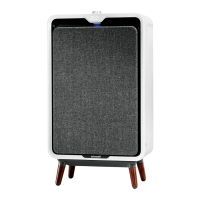

 To Next Page