15
IMPORTANT NOTES:
1. In most instances the default setting on your phone
will block emails to come through to the watch. You
will need to go to phone settings and allow for no-
tifications in the general email app and you will also
need to enter each email account and select “Show
in Notification Center” and adjust related settings
on this screen to your desire.
While in the email account notification center, we
recommend you also allow for each of the addi-
tional notification functions.
2. Typically text messages occur immediately to the
watch upon syncing the app as this is the default
setting on most phones. If you do not receive texts
on the watch after syncing, try first to go to phone
settings and allow notifications in the general mes-
saging app.
3. Your watch will immediately issue notification alerts
upon syncing. This may be a good time to set your
alert sound and volume preference. Enter Settings
app on the watch and go to Sound. Select from
vibrate to other audible alert sounds. Then go to
Volume and adjust to your preference.
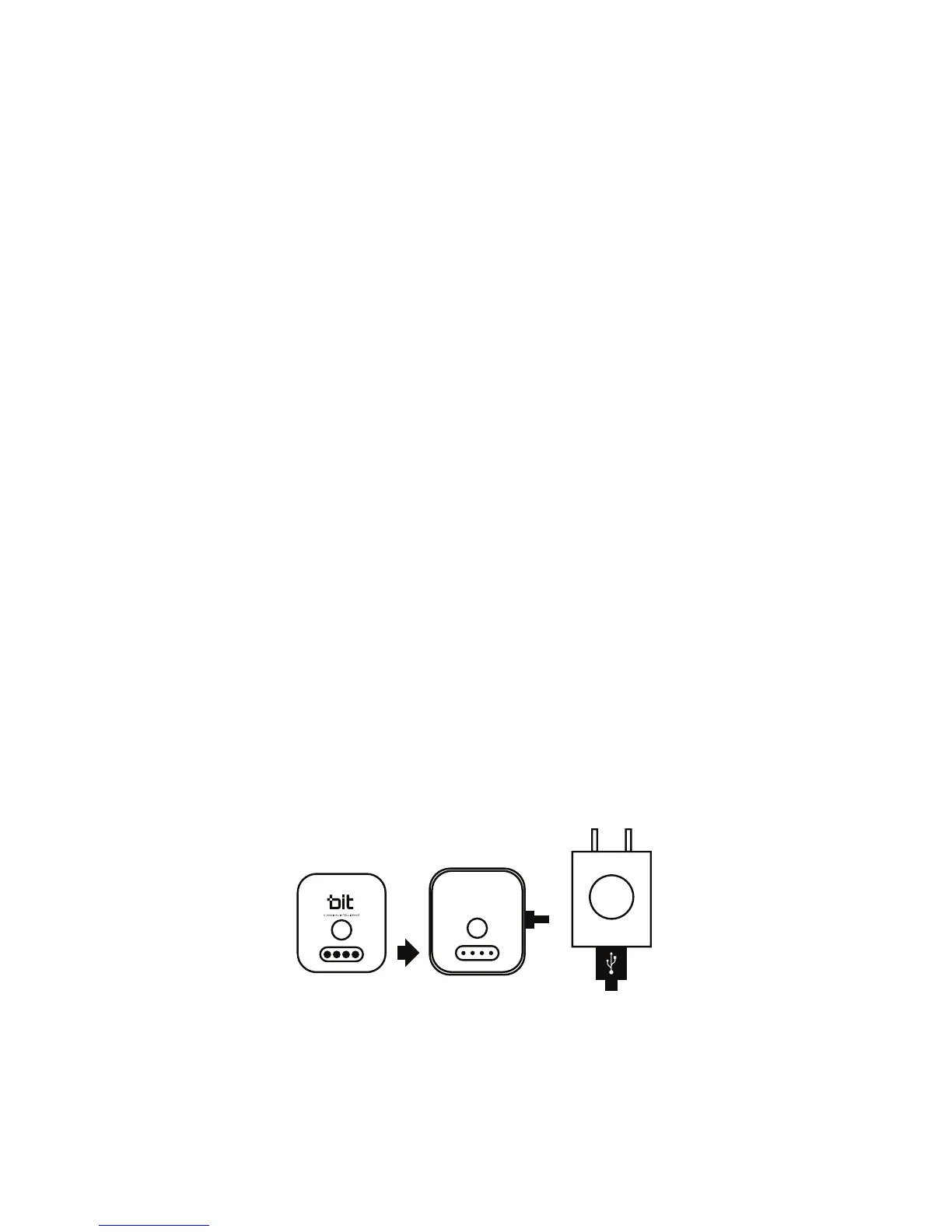
CHARGING S1 WATCH
To charge, placed the watch into the cradle and make
sure the contacts on the back of the watch align with
the contacts in the cradle. Connect the Large end of
the USB charging cable to the AC Adapter, and the
small end into the port on the cradle. Plug the AC
adapter into an AC outlet.


 To Next Page