19
S1 PLUS Smart Watch can interface through bluetooth
headphones / speakers giving added convenience
and benefit. S1 PLUS can connect from the watch
directly to an external bluetooth device such as
bluetooth speakers or headphones. This allows you
to play music loaded on the watch while away from
your phone. S1 PLUS can also play music loaded on
your phone through bluetooth speakers / head-
phones. Follow the following procedure to connect to
bluetooth speaker / headphone.
Connect to Bluetooth device directly from S1 PLUS
1. Insure S1 PLUS is not connected to the phone.
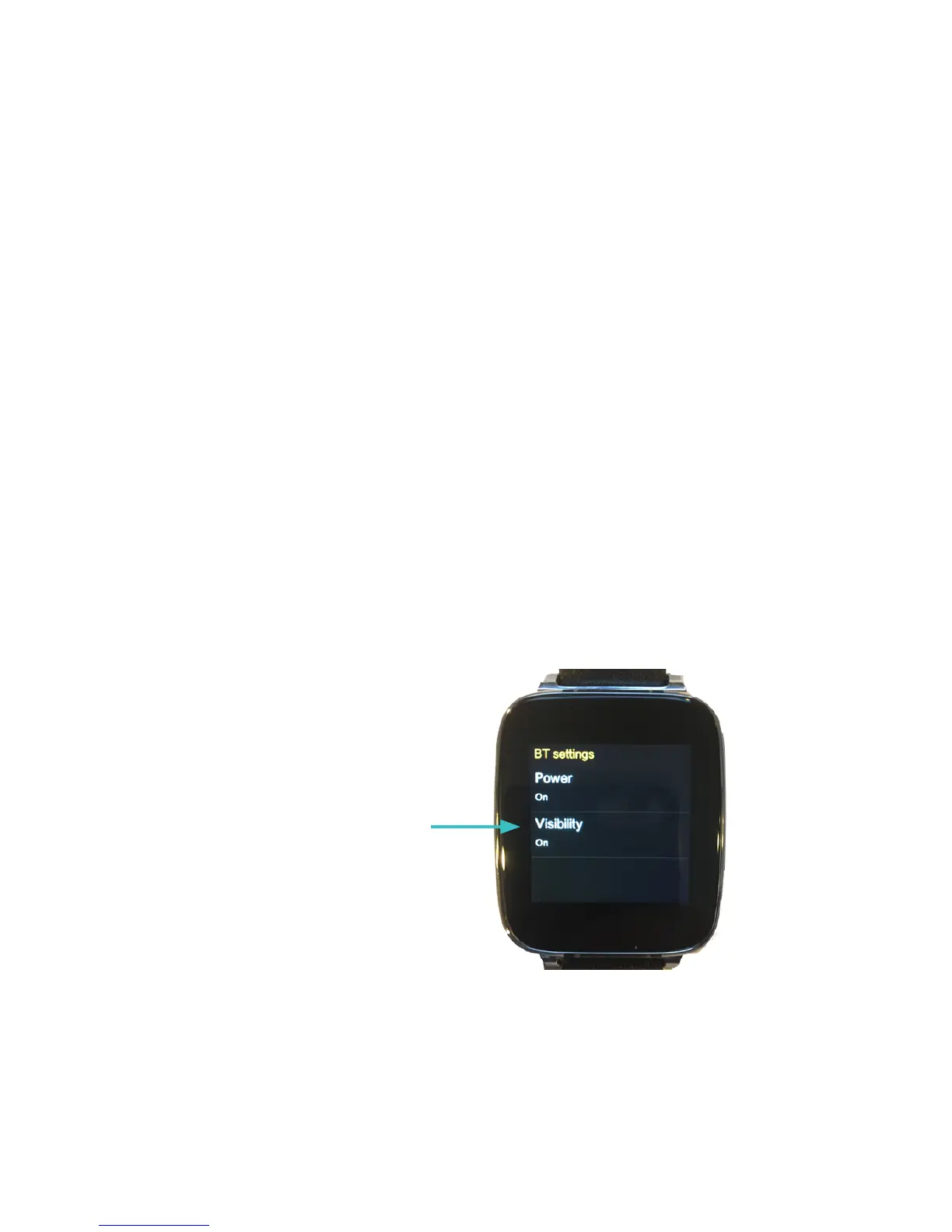
2. On the watch go to Settings > BT settings and
make sure Power and Visibility are both turned On.
3. Put your bluetooth speaker or headphones into
pairing mode.
4. On the watch, enter the BT connection app.
OPERATION W/ BLUETOOTH
SPEAKERS (FOR S1 PLUS ONLY)
Tap to turn Power and
Visibility on


 To Next Page