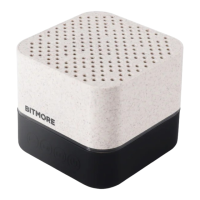
LIGHT INDICATORS:
Red light: indicates charging and switches off when charging is complete.
Blue light:
i) Quickly flashes when Bluetooth is in pairing mode.
ii) Solid illumination when successfully connected to a Bluetooth device.
iii) Solid illumination when audio is paused.
iv) Slow flash whilst audio is playing.
CHARGING THE LED PULSE:
1. Connect the Micro USB end of the supplied cable (or use another authorised cable) to the
Micro USB port on the LED Pulse
2. Connect the USB end to a mains adaptor (not supplied)
3. Charge the LED Pulse for appox 2-3 hours (you will see a red light whilst charging) or until
the red light switches off.
CONNECTING TO BLUETOOTH:
1. Press the power button (6) to turn on the speaker
2. Ensure that your device has Bluetooth switched on
3. Search for and select “LED Pulse” -
4. You will see a quick blue flashing light whilst the LED Pulse and your device pairs.
5. Once connected, the blue light will turn solid
6. Use the buttons on the LED Pulse to control your audio experience
MICRO SD/TF CARD AUDIO:
1. Insert your Micro SD/TF card into the slot (5) with the contact surface facing downwards
– make sure to take extra care to insert it the correct way round, and do not force it. You could damage
your Micro SD/TF card or the LED Pulse.
2. Playback will automatically start.
3. Use the buttons on the LED Pulse to control your audio experience
BM-BT5WEC LED PULSE | 2


 To Next Page
 Loading...