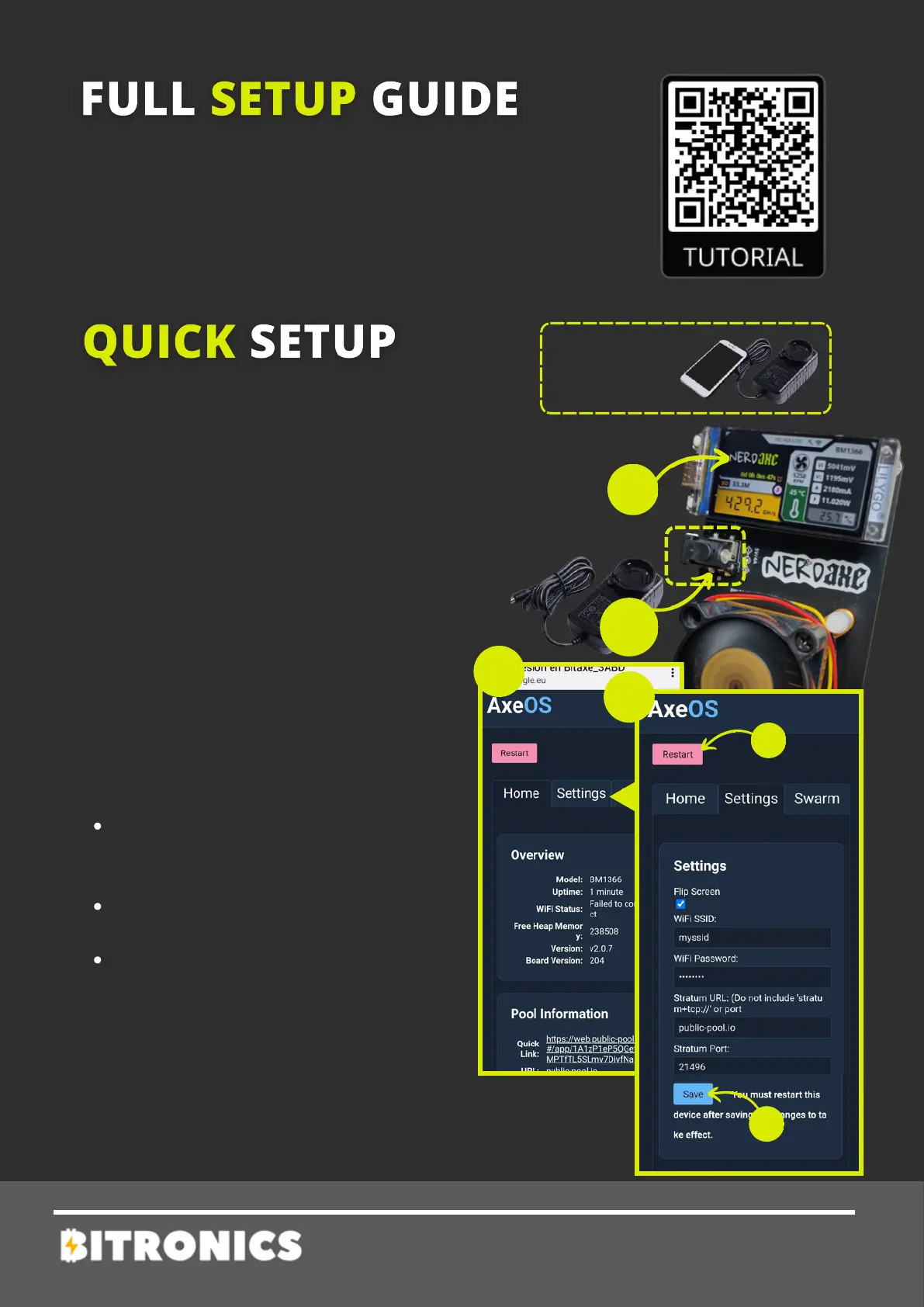
2 - Wait until the text "Connect to
ssid: Nerdaxe_XXXX" appears on the
screen, and then from a mobile phone
search for the Nerdaxe_XXXX wifi
network and connect to it.
1 - Power up your Nerdaxe with its
power adapter (5V /4A). Important:
Don’t use any other power adapter.
Check all NerdAxe details downloading
the full guide on the following QR code.
For any other question contact Bitronics
team.
3 - Once connected, the following
menu will be shown (3).
Click on Settings to setup.
TOOLS
NEEDED
Required time: 5 minutes
4 - Setup miner parameters:
WiFi/Password: network
credentials were you want to
connect to.
Pool url/port: introduce your
pool settings or leave default
Stratum user: BTC address
where you will receive prize.
For any problem check full guide or
contact Bitronics team.
NERDAXE
4 - Press Save and Restart. After
this Nerdaxe will start working.


 To Next Page